

 Pace Glass
See what needs attention across your estate.
Pace Glass brings servers, networks and Microsoft 365 into one operational view. Follow an alert to the affected equipment, hand a technician the job, and check the result. Add Pace Glass Security to see how someone could reach your most exposed systems.
- Mac
- iPhone
- iPad
- Apple Watch
- Apple Vision Pro
- Apple TV
- Windows
- Web
Mac apps released · Windows in private testing · Other Apple apps in private TestFlight · Platform details
Pace Glass Security
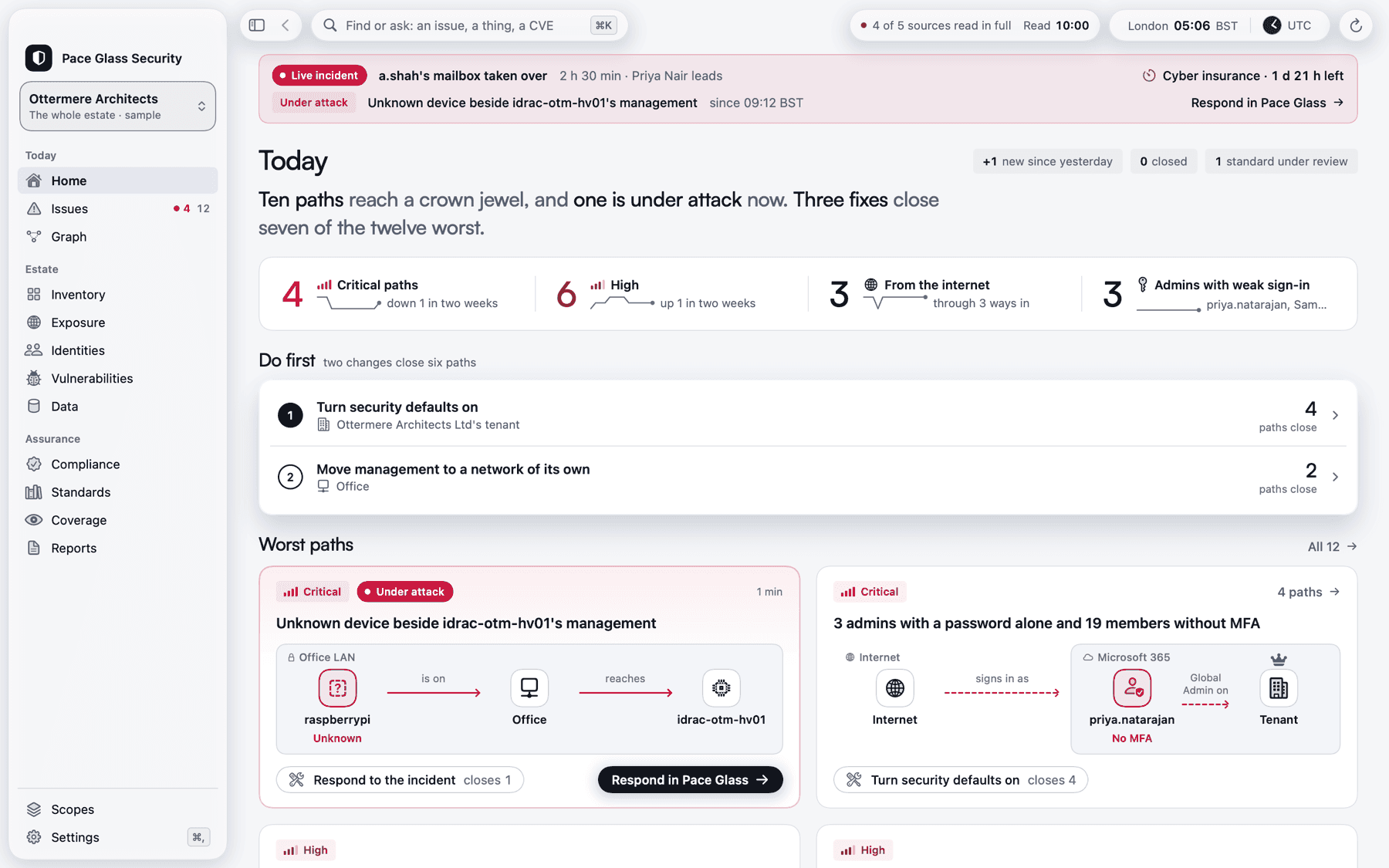
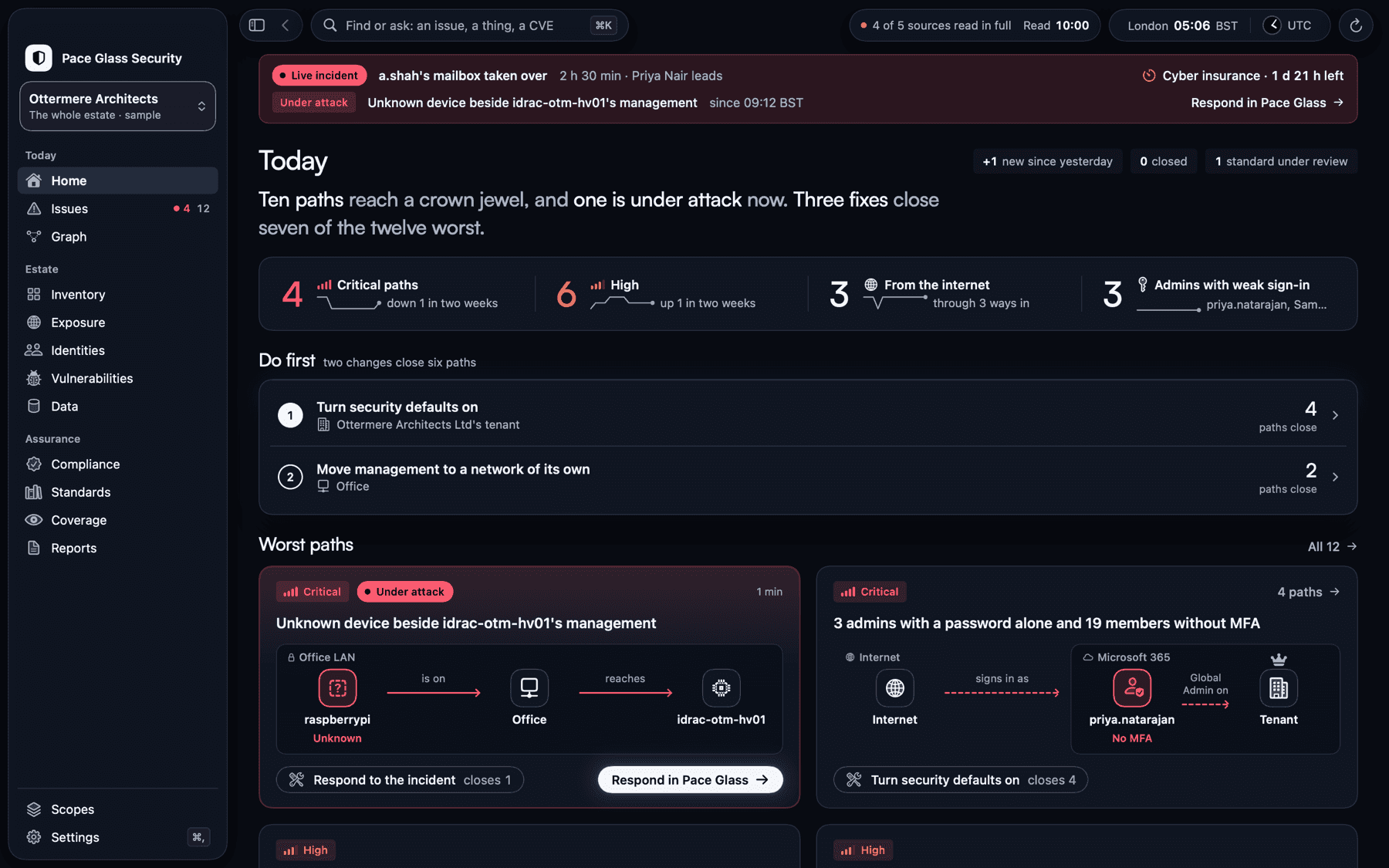
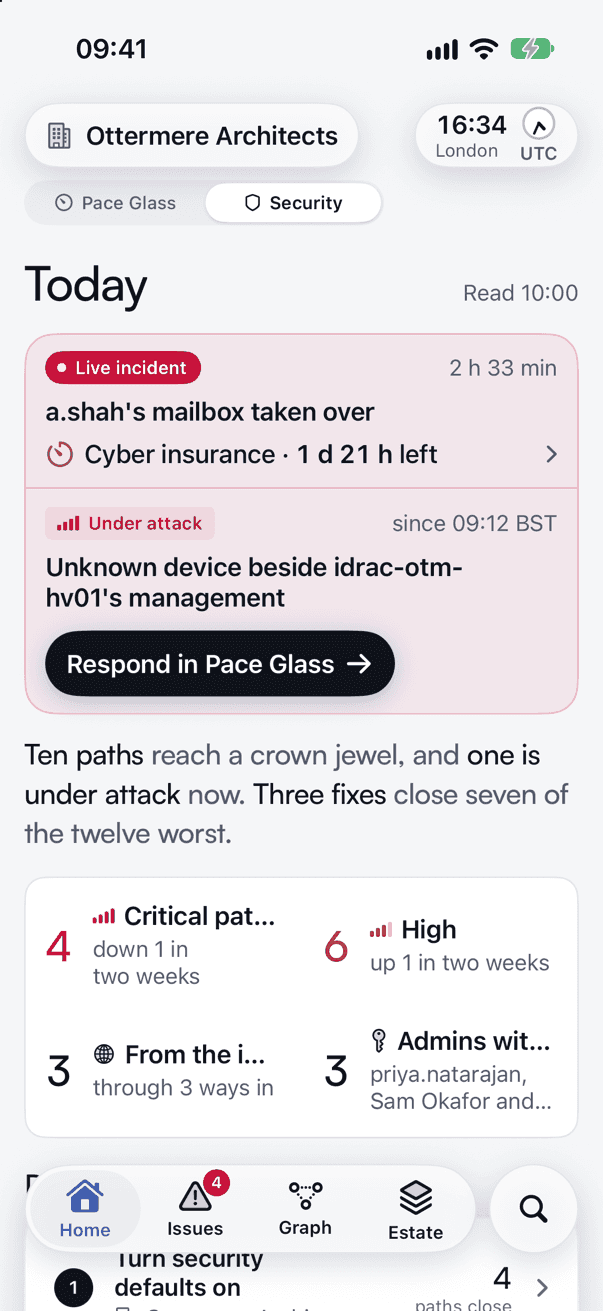
Which route into your estate would you close first? Licensed per collector, Pace Glass Security ranks paths through exposed networks, devices and accounts. Follow each step to the asset at risk and see which change would break the path. It is a workspace in Pace Glass and, on the Mac, an app of its own.
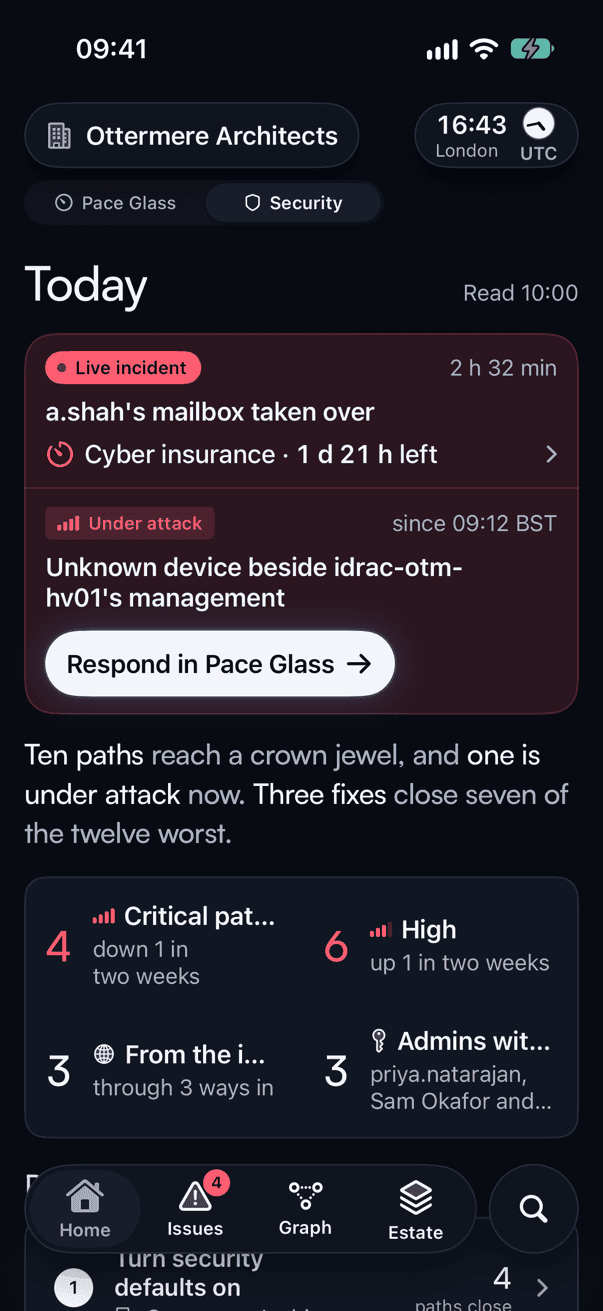
- EntryInternet
- ExposureForwarded management port
- Asset at riskHypervisor console
Trace the evidence and the fix
The gateway forwards a public port to the management console. Security joins the forwarding rule to the destination device and shows when each was last read.
Break the path. An operator restricts the rule to the management network. The next sweep checks whether an external route still reaches the console.
- Investigate a path
- Follow each hop from an exposed service or stolen identity through the graph. See internet-facing Azure resources, network rules, effective roles and each source’s coverage. The map connects identities to sign-in locations and flags impossible travel. Unknown permissions stay marked as unknown. Search an issue, CVE or advisory directly.
- Work the incident
- See which advisories match your equipment and how likely attackers are to exploit them. Prioritise advisories on an open path to a critical asset. The monitoring cockpit also provides incident clocks, a shift handover, provider health and ransomware backup readiness.
- Approve and verify a fix
- An admin enables individual fix types and grants a separate fix identity the permissions it needs. For supported Azure changes the collector checks the original state, applies the fix, reads it back and tests the path again. If the path stays open, the collector tries to undo reversible changes and flags anything needing manual repair. A signed log records the result. Eligible fixes have a configurable undo window of 24 hours by default.
- Set limited standing approvals
- Admins can pre-authorise revoking sessions and disabling inbox rules that forward mail outside the organisation, within per-person and daily limits. From a Mac, iPad or iPhone, an admin can grant missing Microsoft 365 and Azure permissions or revoke access. Some Exchange permissions need a separate admin step. The collector checks for lost grants daily.
- Prepare for an assessment
- Inspect Cyber Essentials readiness across its five controls, including MFA and high-risk updates. Record who answered questions the collector cannot check. See who lacks MFA on cloud services and device management accounts. Review CIS benchmark results, the standards versions used and a monthly security report covering paths, fixes, advisories and incidents. Readiness is evidence for your assessment.
- Rehearse a compromise
- On Mac and iPad, explore what a stolen account could reach, replay a tabletop incident and inspect MITRE ATT&CK coverage gaps. Opt in to check accounts against breaches for a verified domain. Coverage and breach results are also available in the read-only web console.
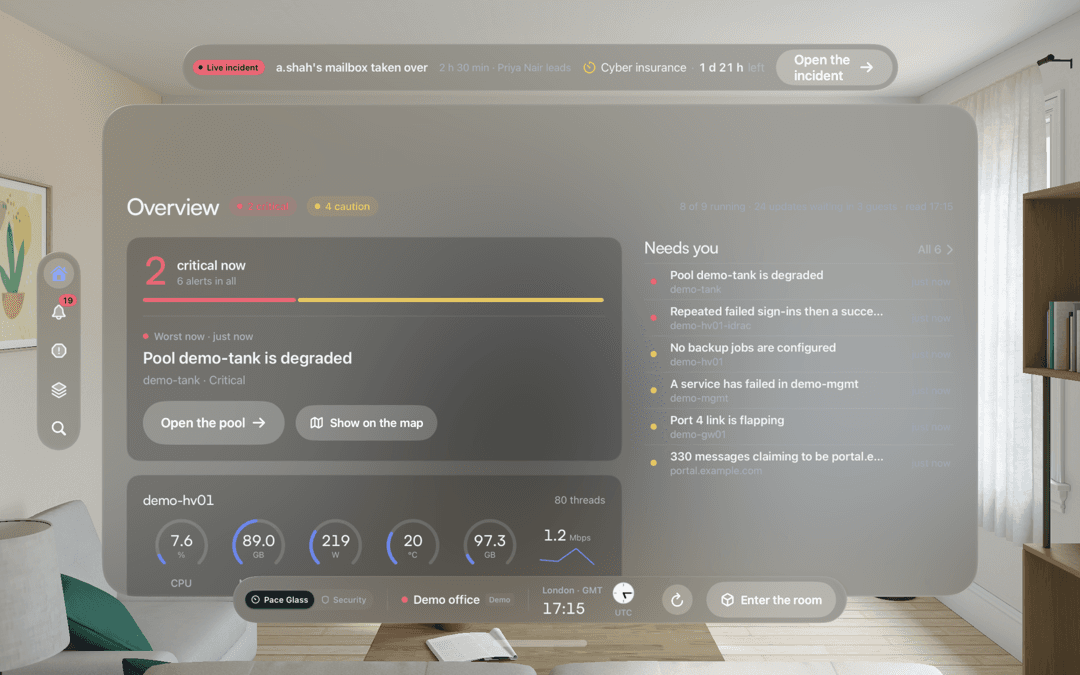
On Vision Pro, the morning briefing, guided path and incident views share a room with the estate model. A Mac or iPad can follow the selected finding. An experimental AI second opinion runs in shadow on Fortuna Pace’s own estate. The rules still determine alerts, deadlines and actions.
Ask about Pace Glass SecurityMore screens
Pace Glass Security, page by page.
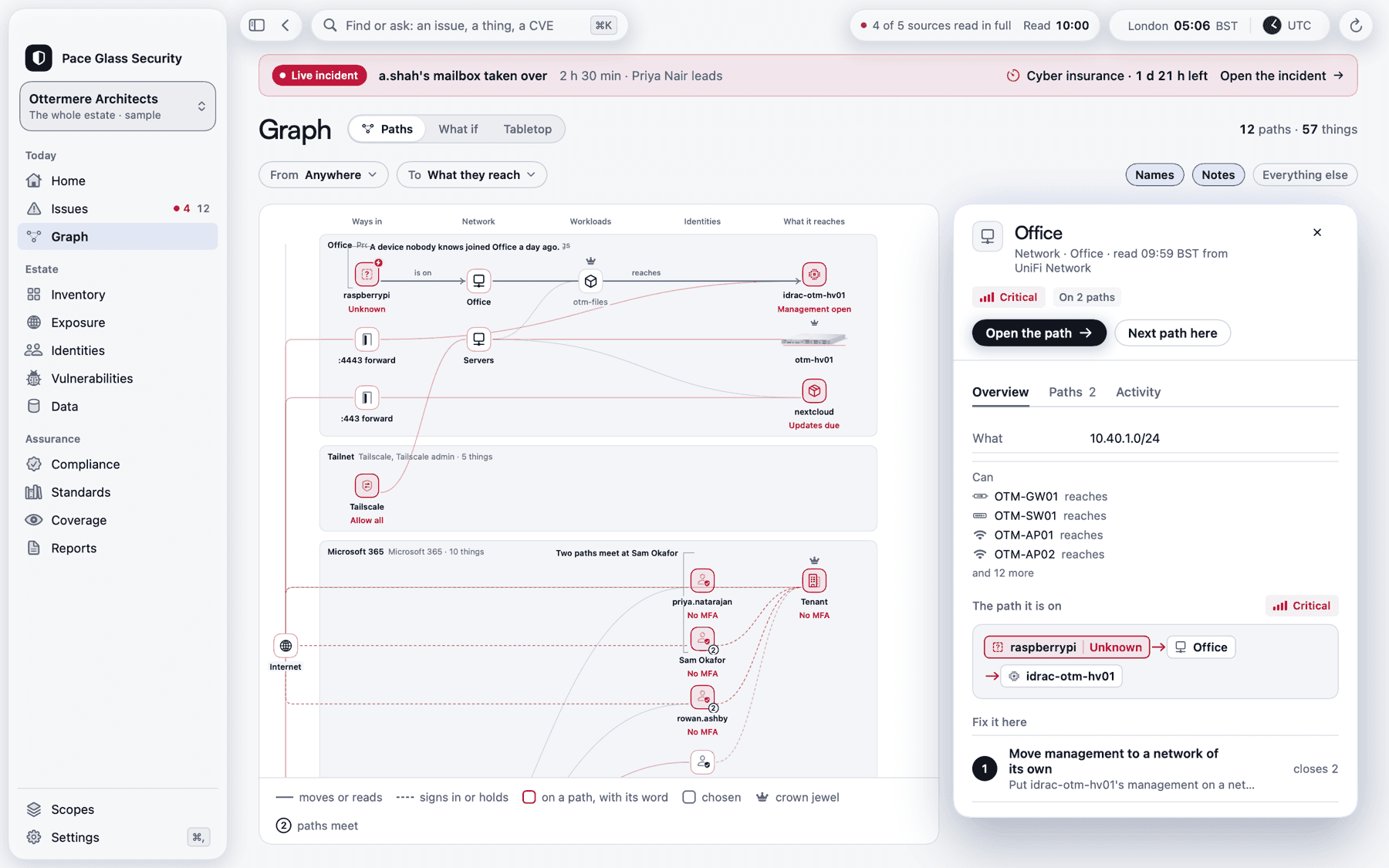
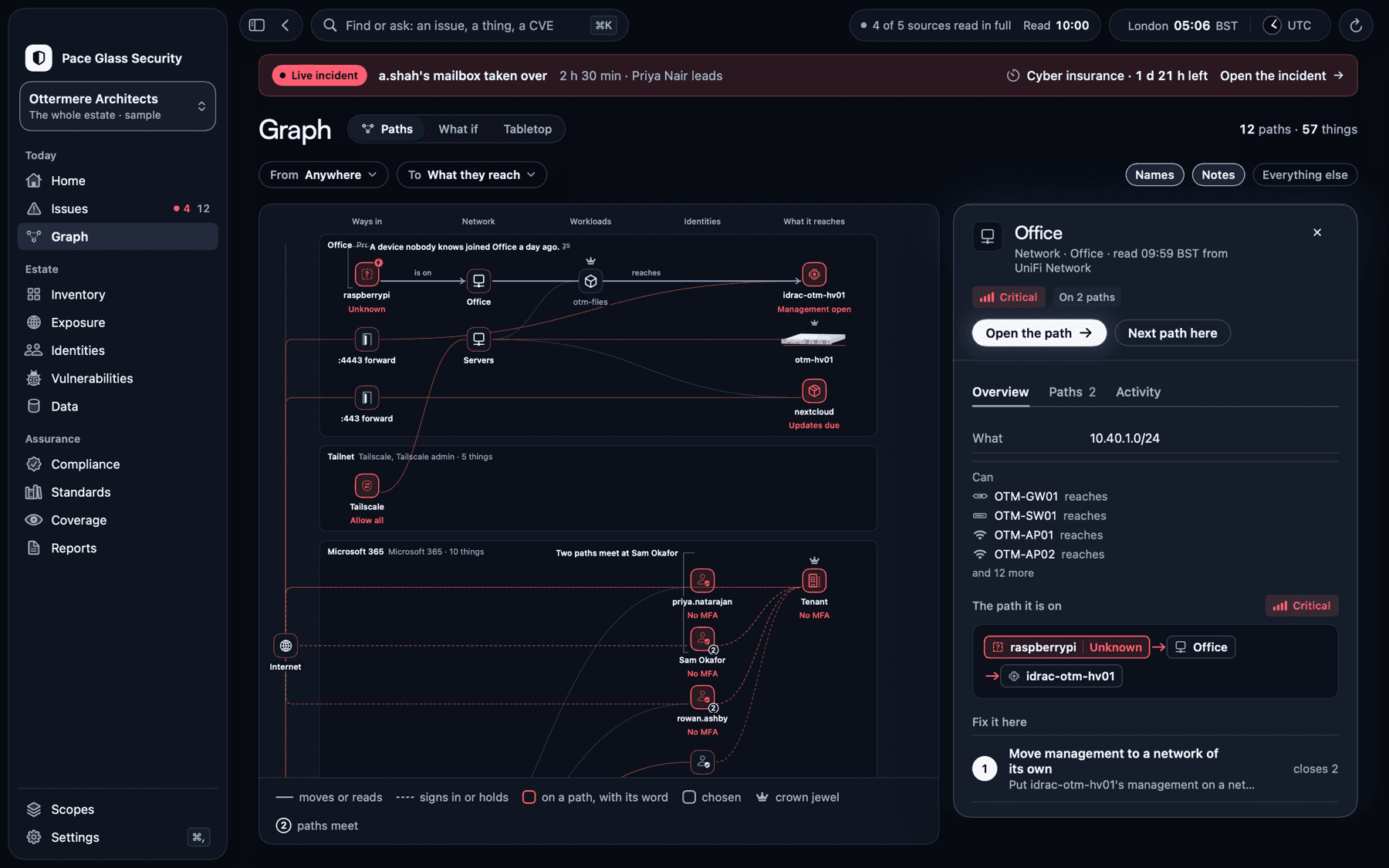
Graph: every way in, followed to what it reaches.
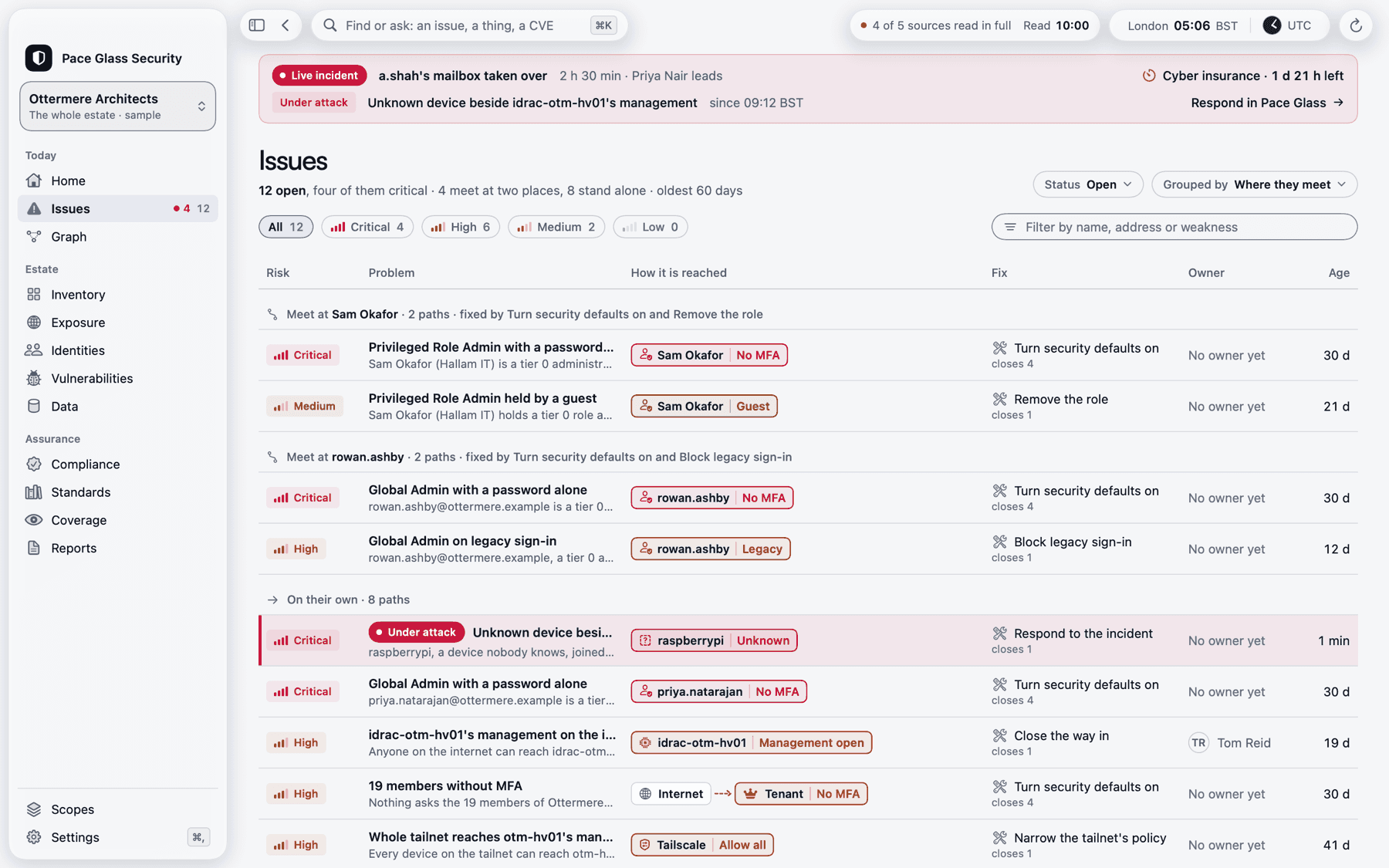
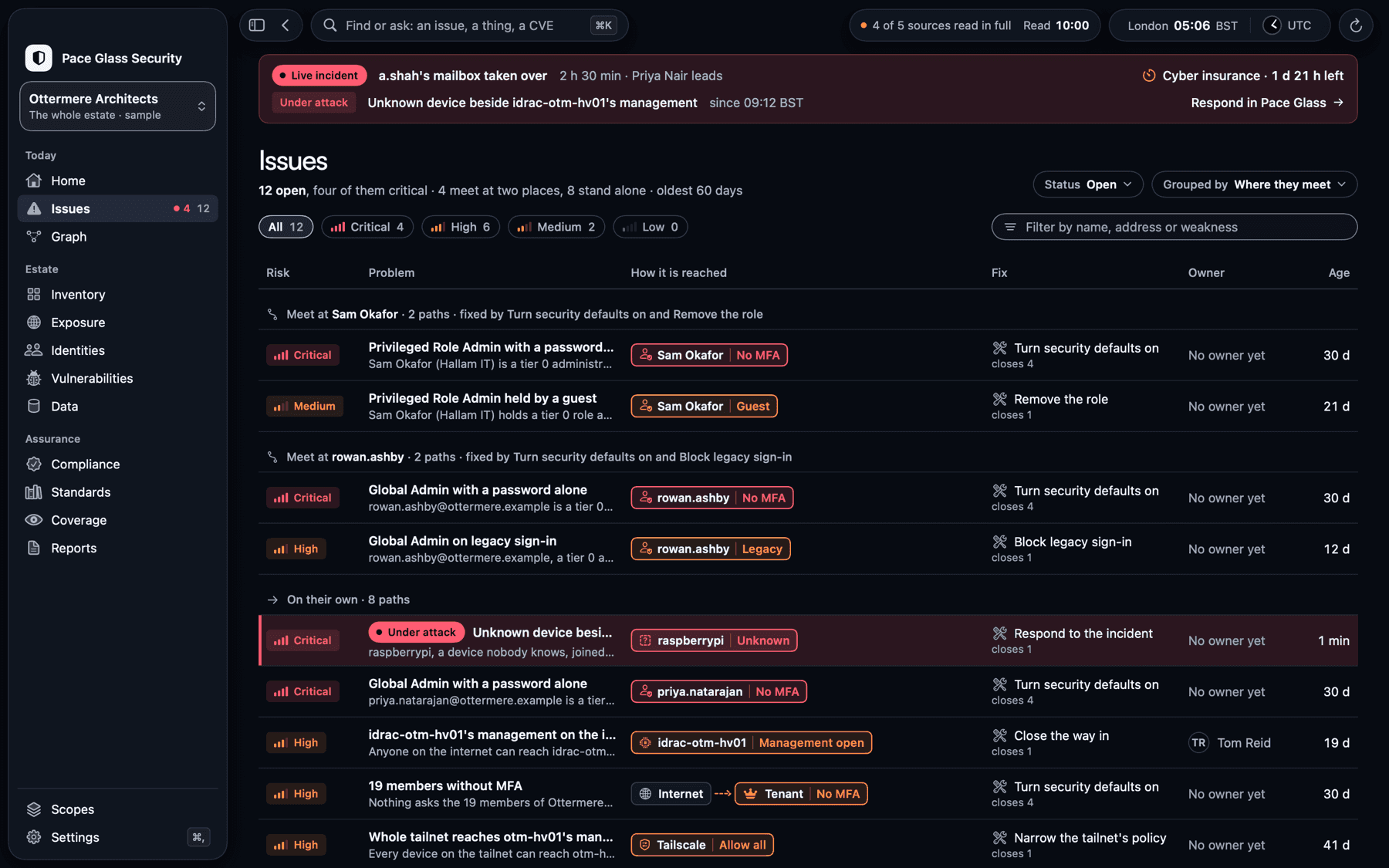
Issues: each path in words, with the fix that closes it.
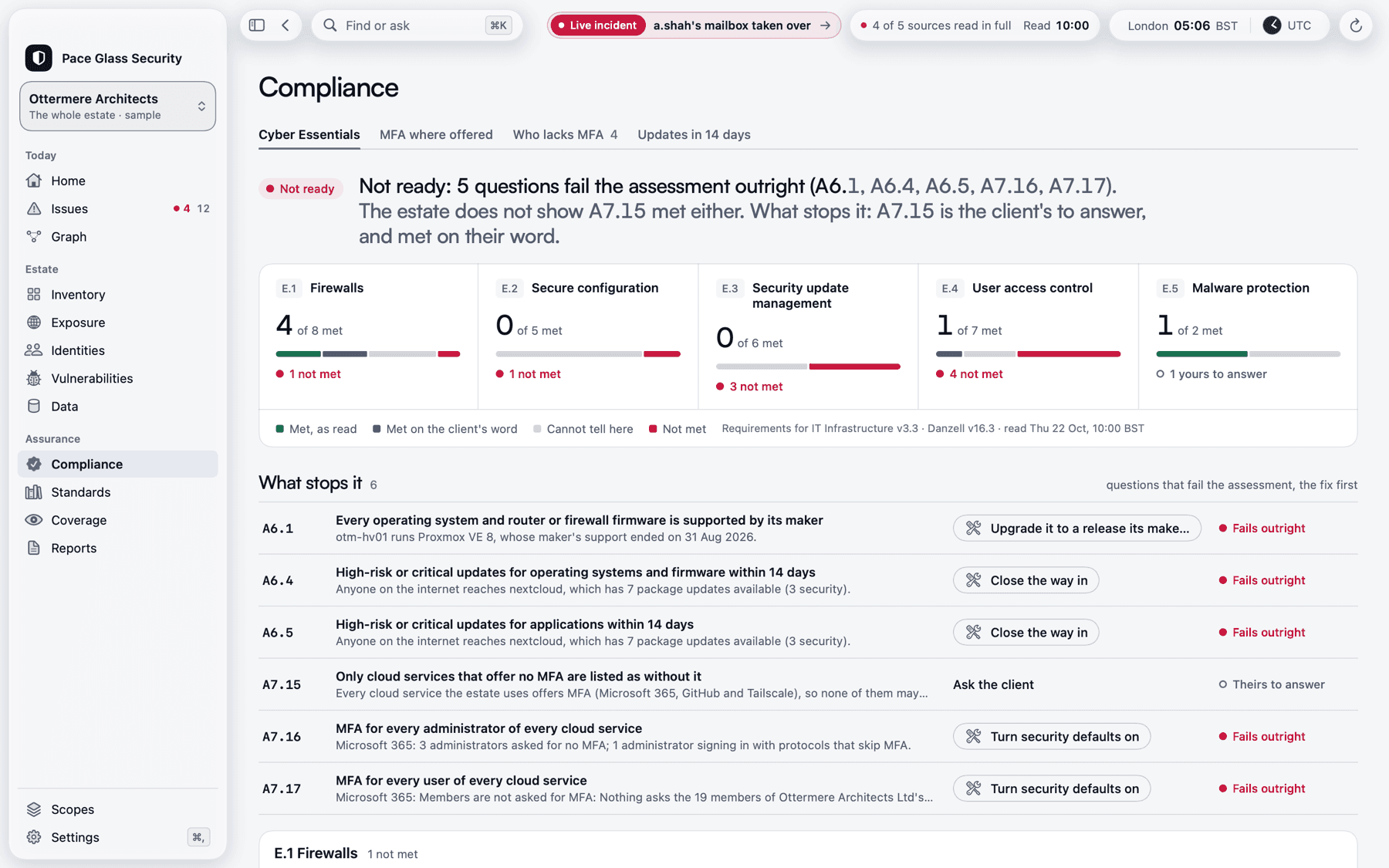
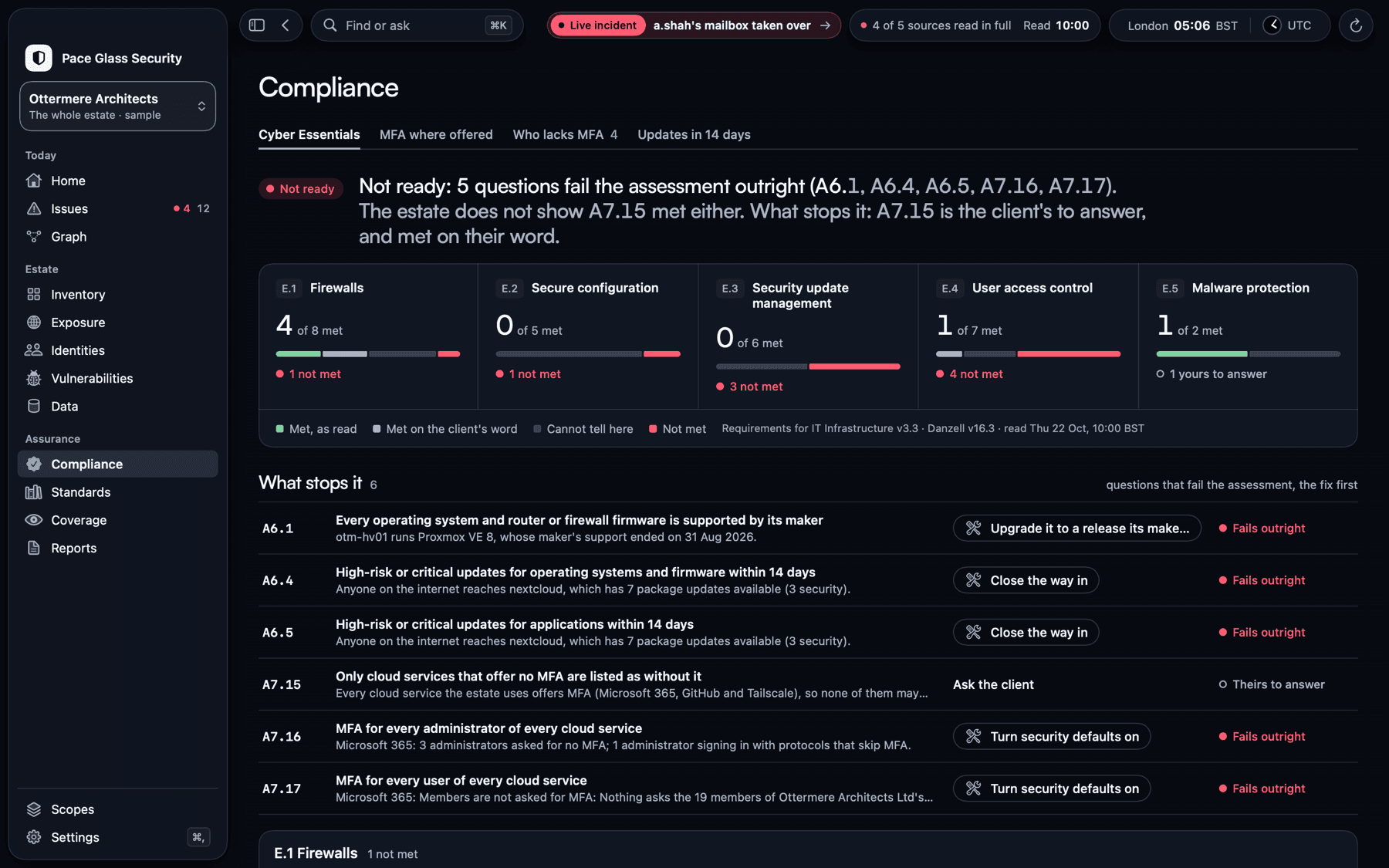
Compliance: Cyber Essentials readiness, question by question.
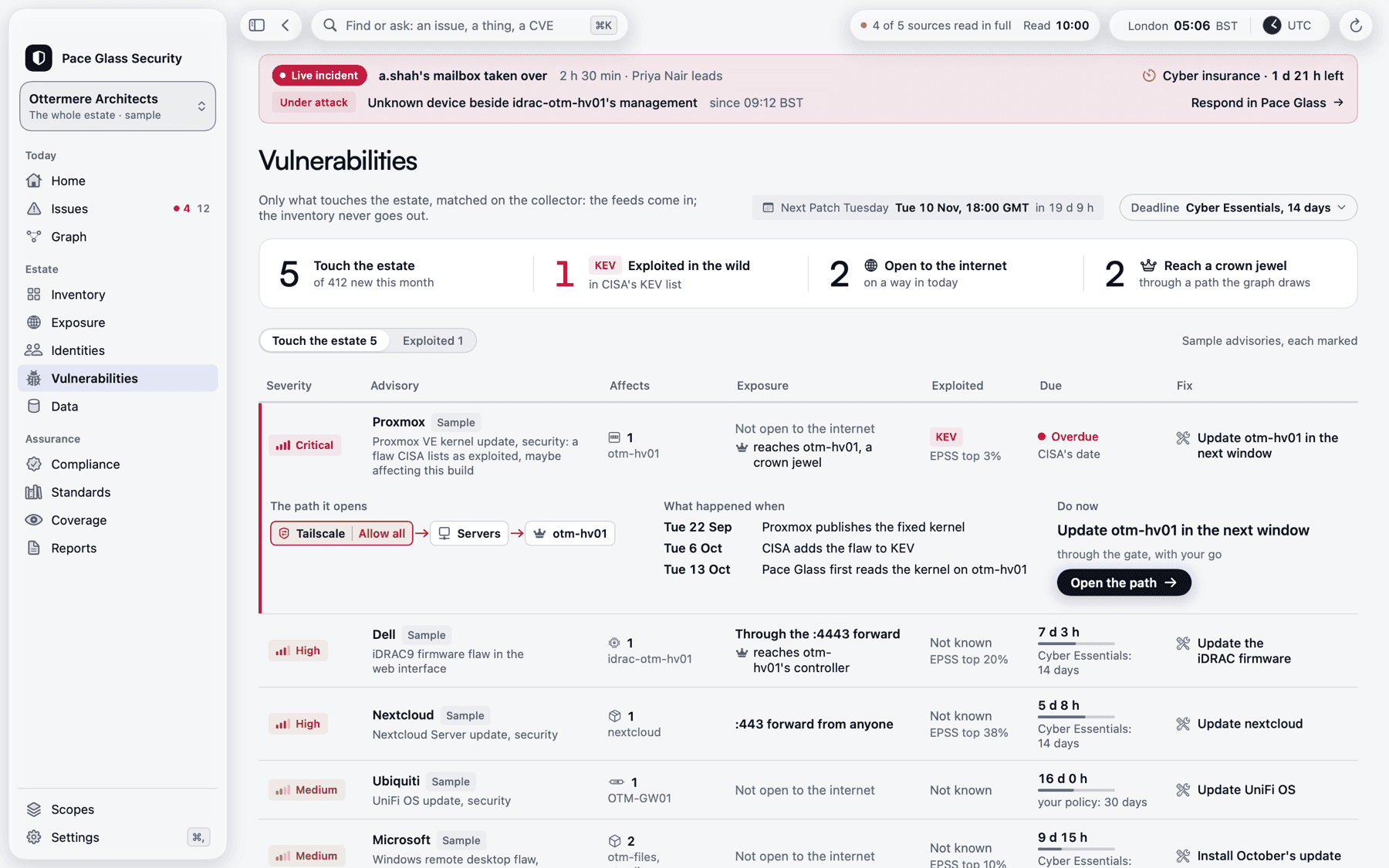
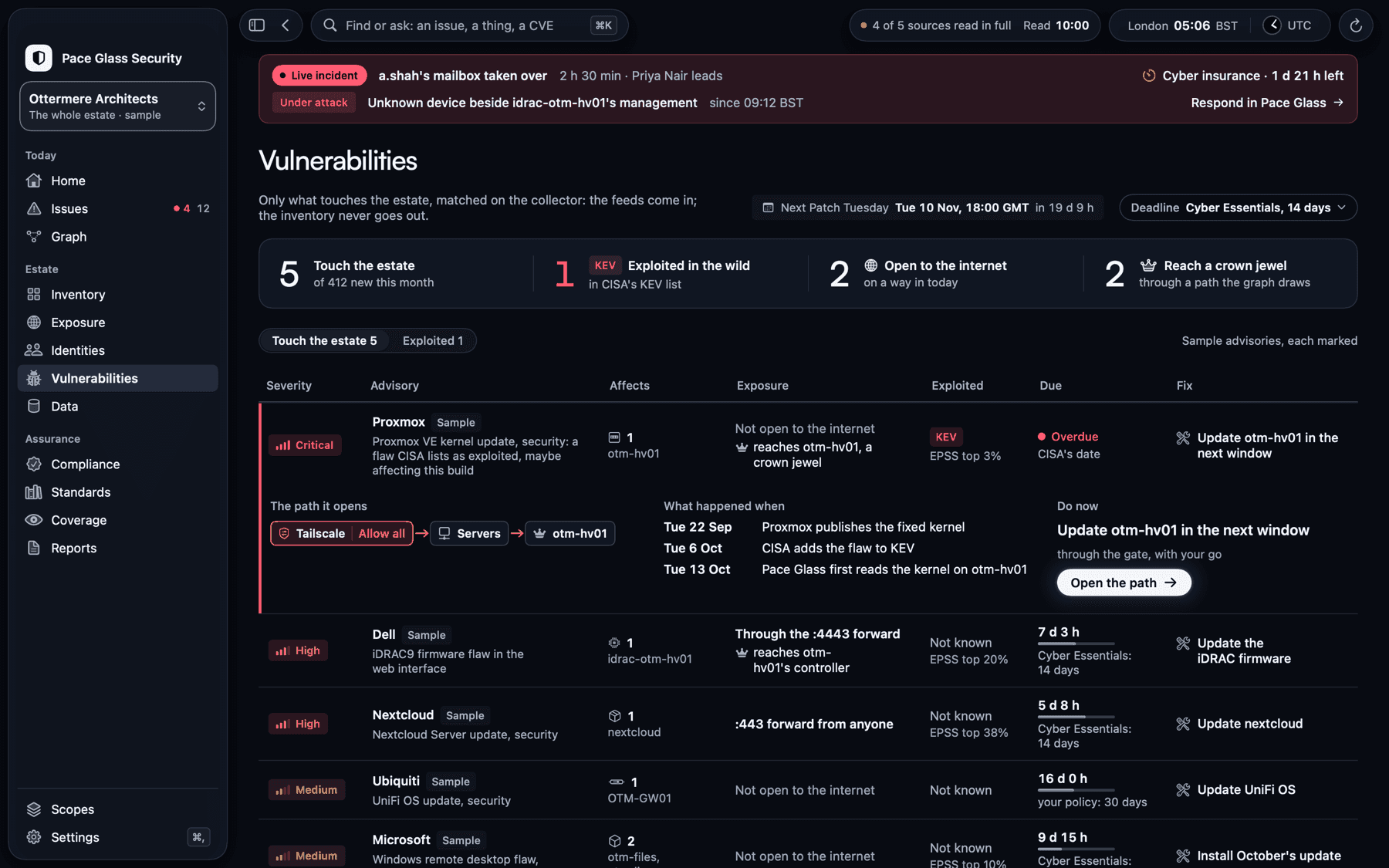
Vulnerabilities: advisories matched to what the estate runs.
One view of the whole estate
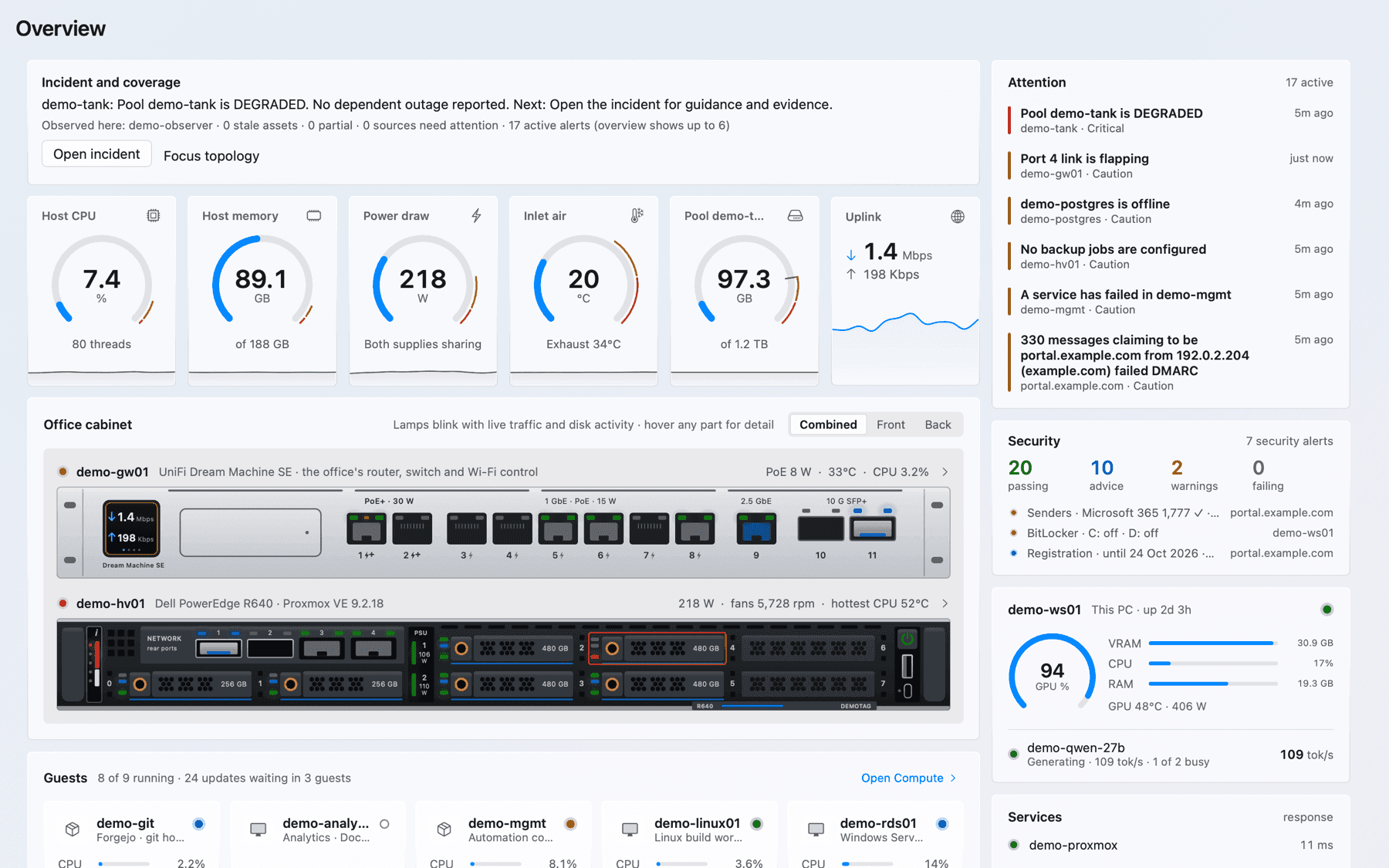
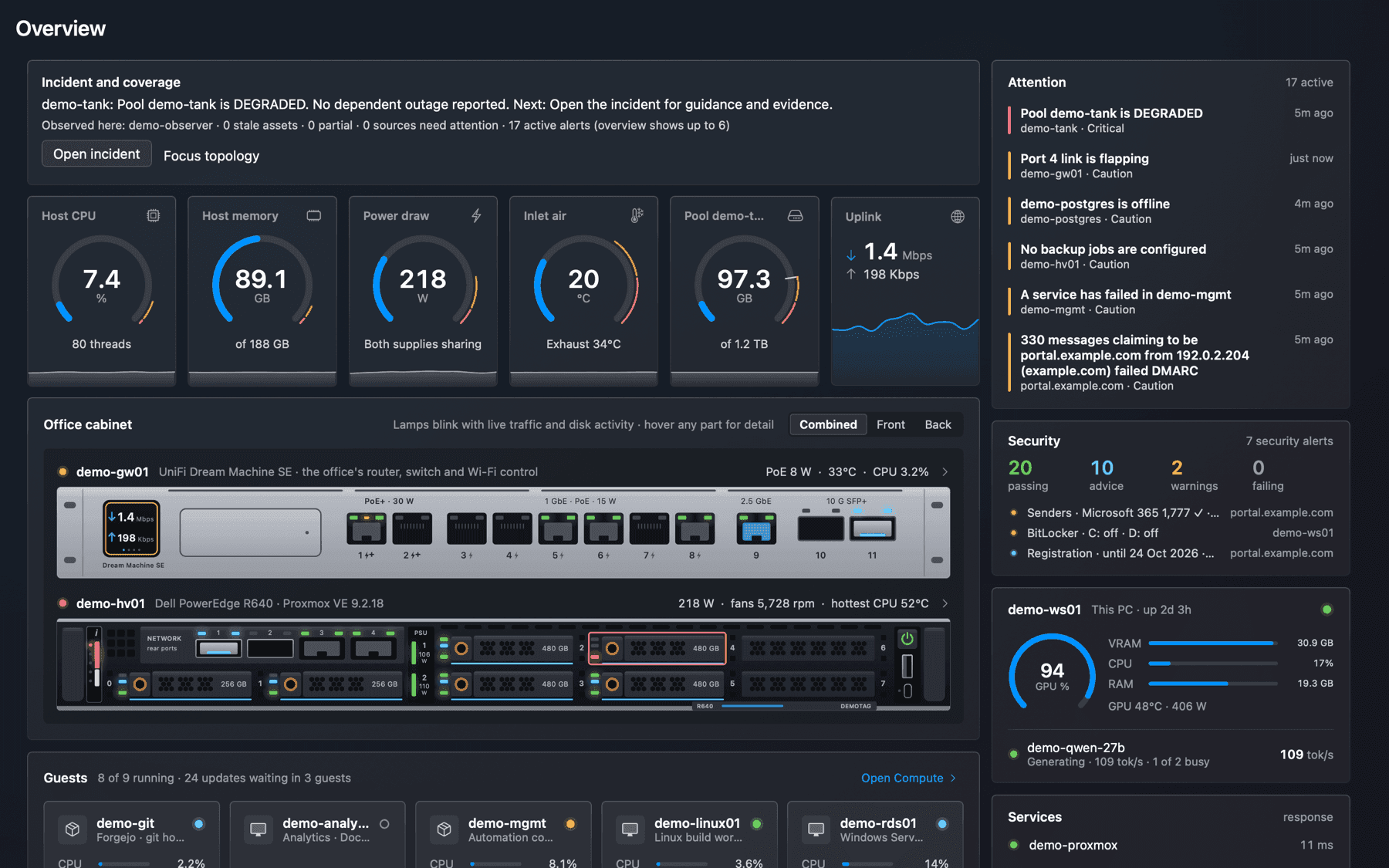
Everything in one place, and what is wrong first.
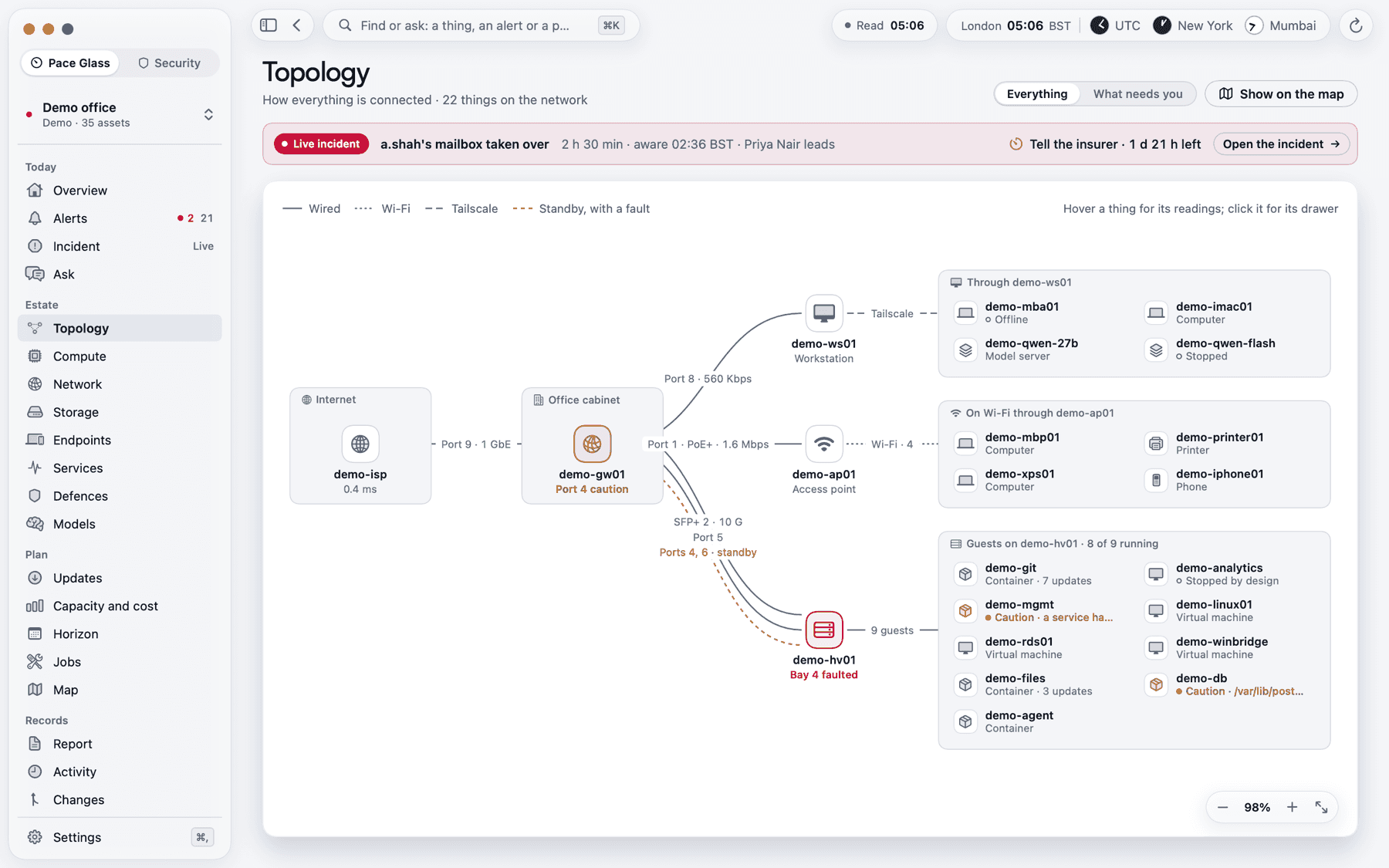
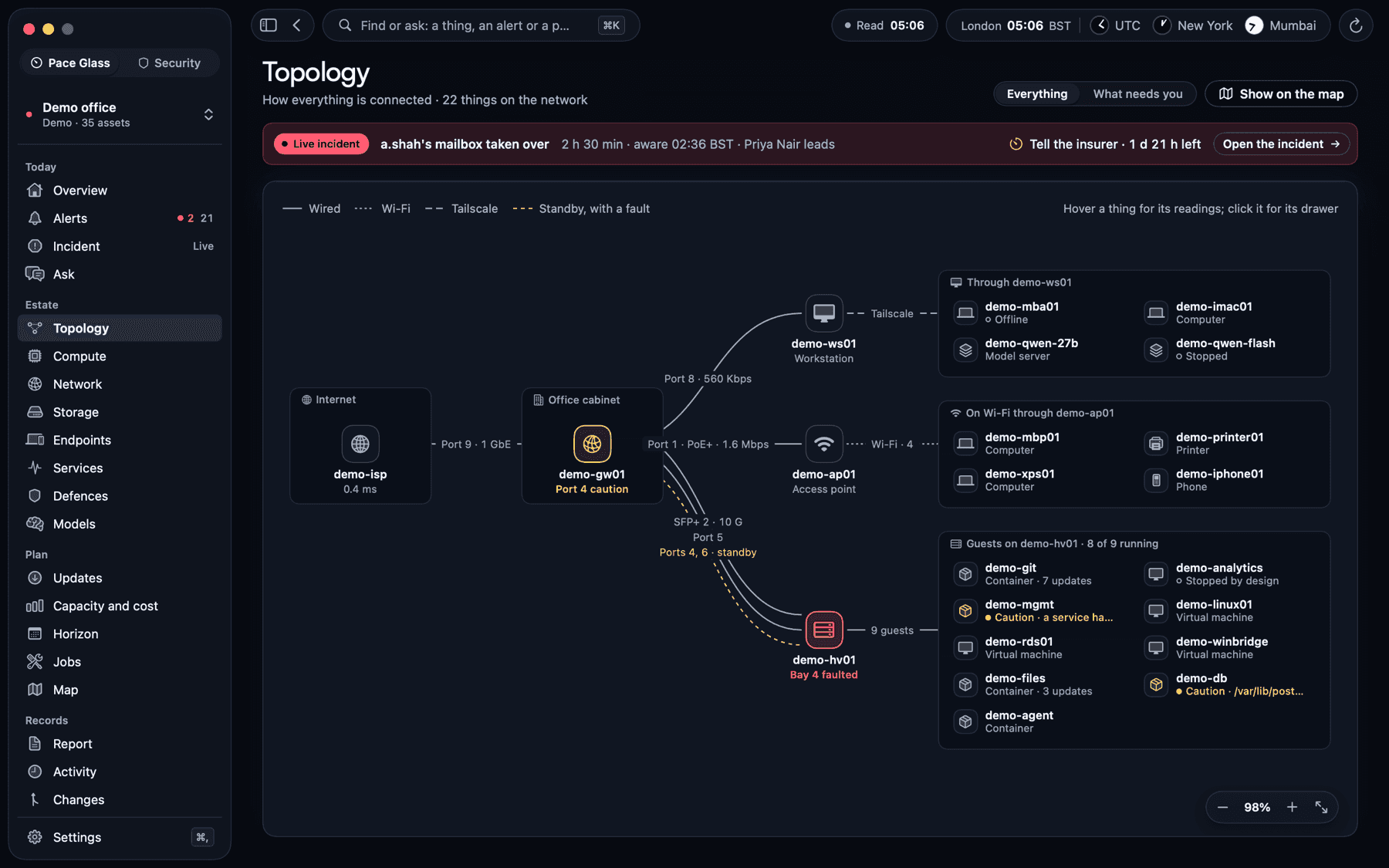
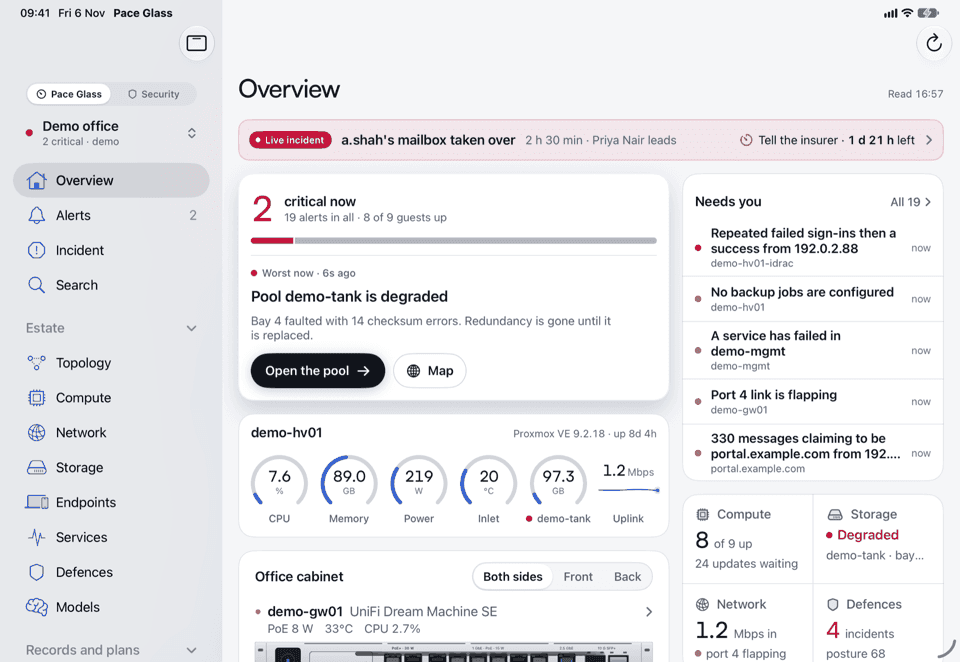
On the Mac and the iPad the cockpit draws the estate as it is: the overview, how everything connects, the hosts and their guests, storage, the network and the services people use. Every page starts with what needs attention, and every alert says what it means, what to try and what not to do.
- Overview, topology, compute, storage, network, services and more
- Several estates at once, each in a window of its own on the Mac
- Find or ask anything with Command-K, and the estate’s light in the menu bar
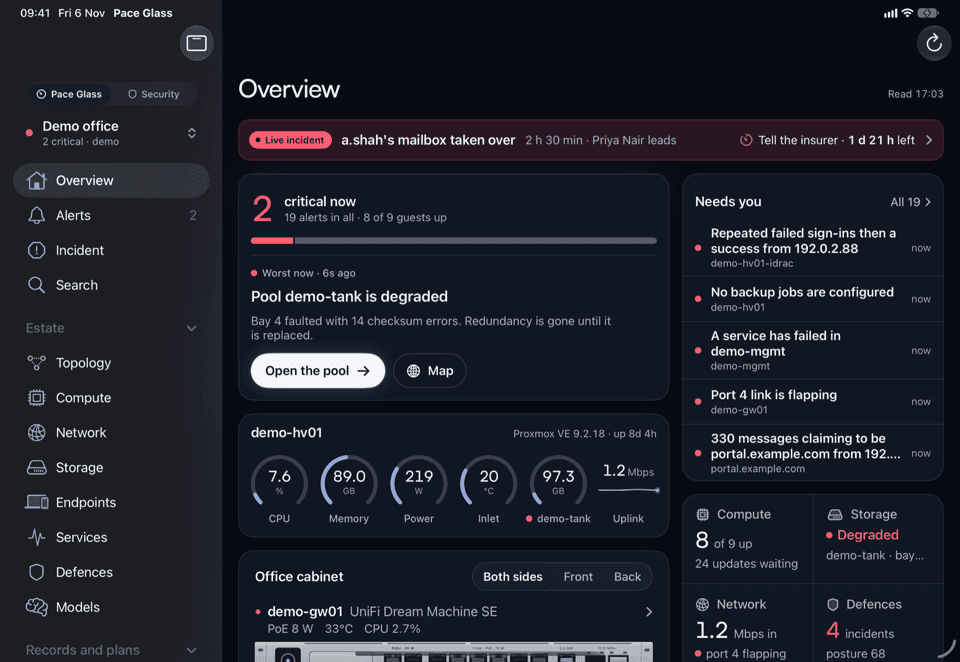
Take a look through Glass.
A preview of the Pace Glass cockpit that runs in your browser, rebuilt with a small fictional estate. Select an asset, investigate an alert, or follow its connections.
Pace Glass / Demo estateOverview
Your estate, at a glance.
Database memory is running high
1 affected guest · host and network are healthy
Host CPU
Source coverage
4 / 4 sample sources healthy
Estate inventory
11 assets| Asset | Health | Latest sample | Type |
|---|---|---|---|
| 192.0.2.1 | Healthy | 84 MbpsDownload | Gateway |
| 192.0.2.10 | Healthy | 24%CPU | Hypervisor |
| 192.0.2.21 | Healthy | 12%CPU | Virtual machine |
| 192.0.2.22 | Attention | 38%CPU | Virtual machine |
| 192.0.2.23 | Healthy | 17%CPU | Container |
| 192.0.2.2 | Healthy | 12Clients | Access point |
| Attached to demo-hypervisor | Healthy | 2.3 / 4 TBUsed | Storage pool |
| 192.0.2.40 | Healthy | 9%CPU | Workstation |
| portal.example.com | Healthy | 142 msResponse | HTTPS service |
| portal.example.com | Attention | 12 daysExpires in | TLS certificate |
| 192.0.2.30 | Healthy | 42 tokens/sThroughput | Model server |
A browser preview of selected Pace Glass workflows, not the app itself. This fictional monitoring cockpit includes Defences. The separately licensed Security workspace is described above.
More ways to work with the estate
- Ask a question in plain English and follow the answer to the reading, alert or change behind it. Ask reads the estate and makes no changes.
- Open a service desk ticket by email or webhook, or assign a signed work order to a technician and track the handover.
- Use Respond to see what containment would affect before approving it. The on-call team can follow the incident from notification to write-up.
- Line up the cabinet twin through an iPhone camera. On Vision Pro, follow a path around the estate model or open the incident timeline. Sites appear on the map and globe, with approximate locations marked.
- Use the grouped navigation and Command-K search to jump to an issue, advisory or system. An enrolled Apple TV gives the office a read-only wall display.
- Manage connections, passkeys, admin invitations, notifications, updates and backups from Settings. Credentials are sealed and bound to the destination. A missing credential is shown as waiting.
Know first, wherever you are
Your iPhone and your Watch as the pager.
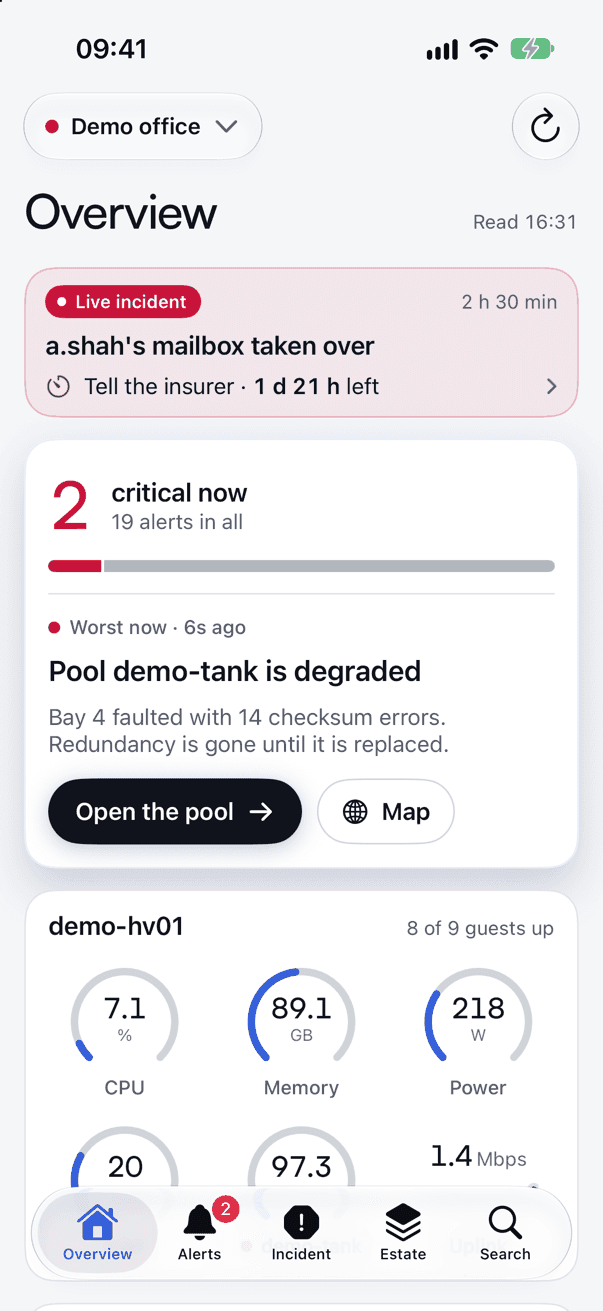
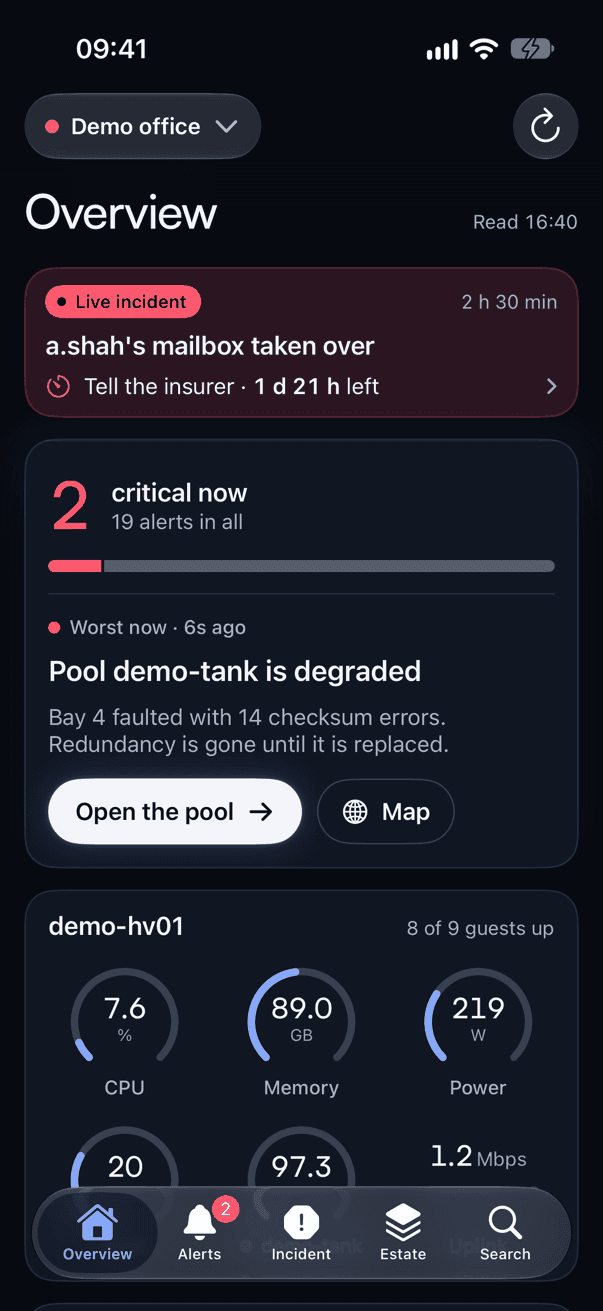
Alerts reach the iPhone and Apple Watch with Acknowledge, the proposed fix where there is one, and Silence for an hour on the notification itself. An urgent alert starts an incident Live Activity on the Lock Screen and in the Dynamic Island, and goes to whoever is on call.
- An on-call rota that escalates when nobody takes the alert on
- Quiet hours, routing by role, and a page again if it is still open
- A morning briefing on what happened overnight
- Siri and Shortcuts can check an estate, and acknowledge or silence an alert
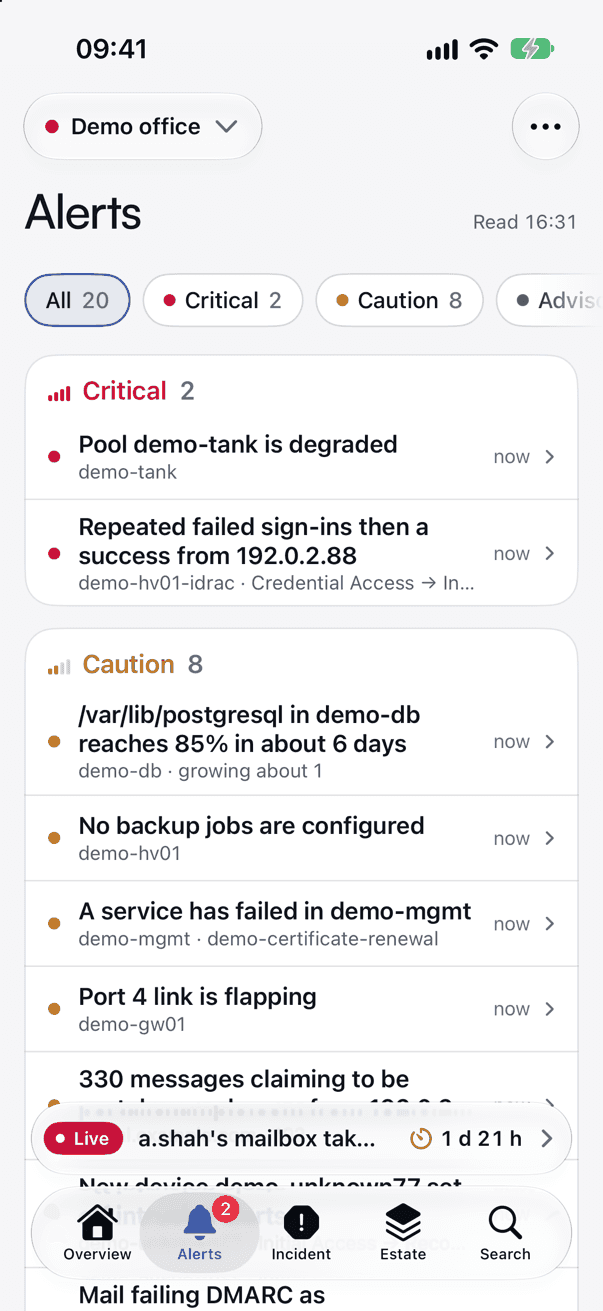
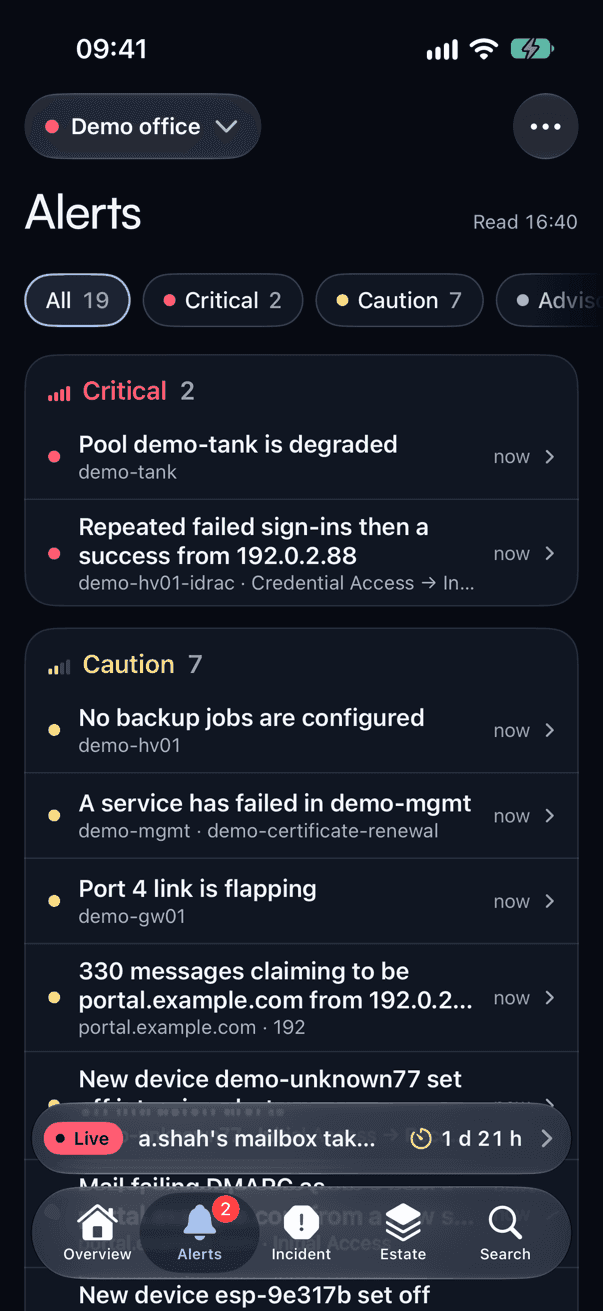
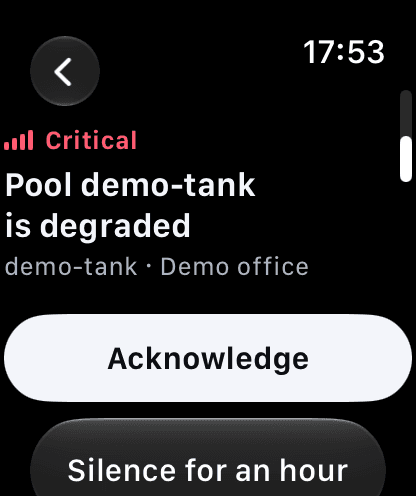
Fix it from your pocket
The alert proposes the fix. You approve it.
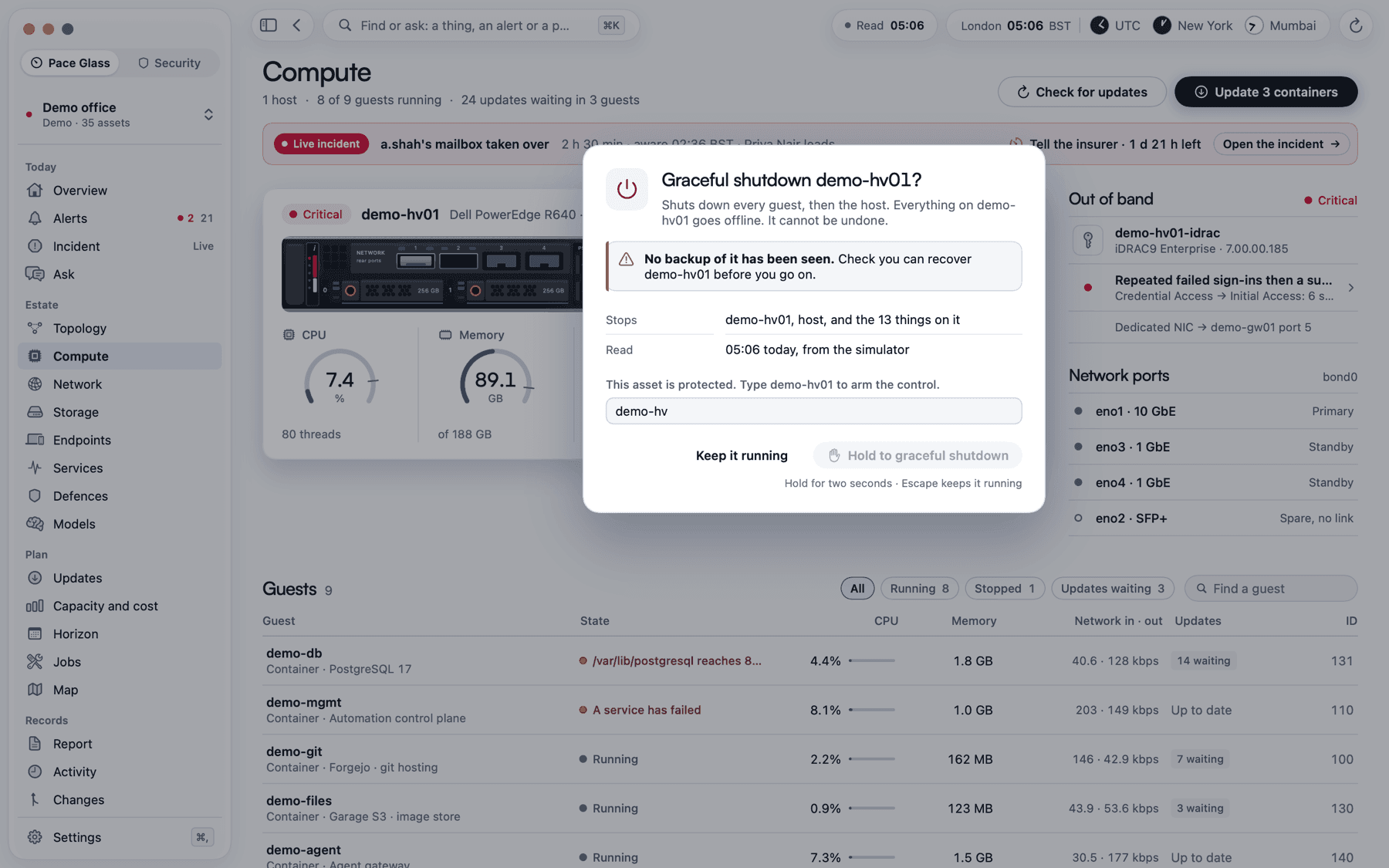
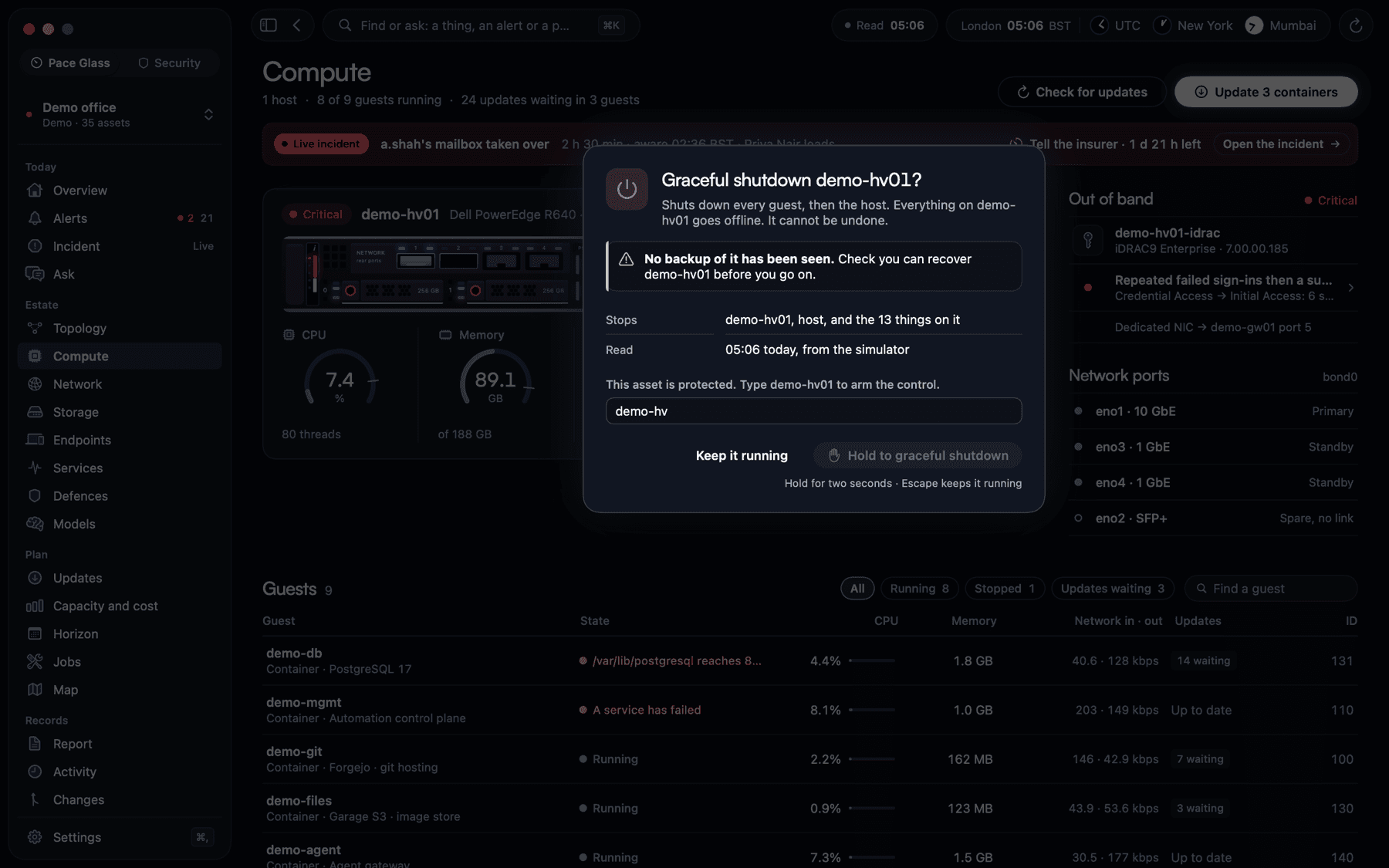
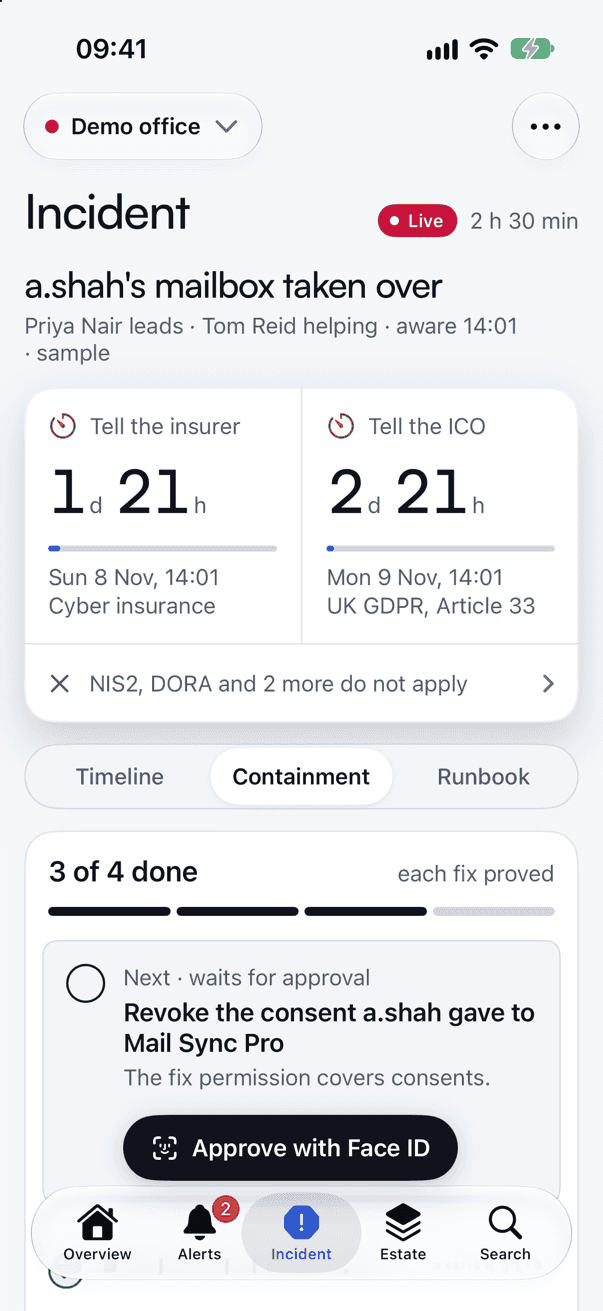
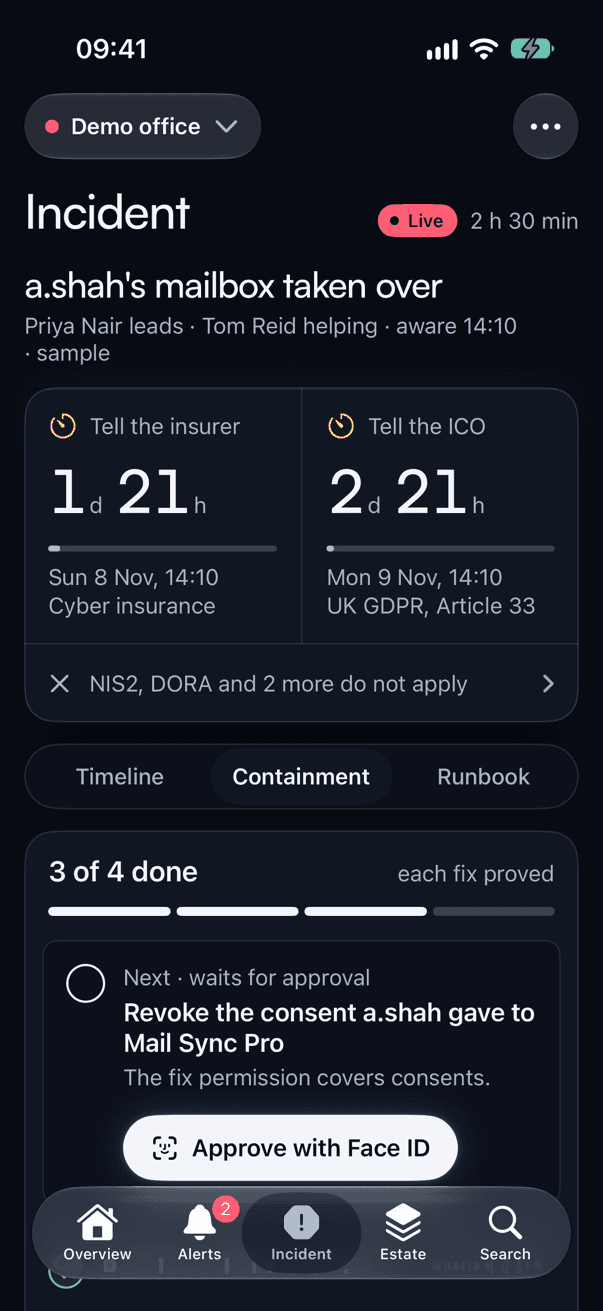
For known problems, such as a failed service, a disk full of old logs or a guest that has stopped, the alert says in plain words what it would do. Nothing runs by itself: an admin approves it with Face ID, it passes every guard a command does, and Pace Glass looks again to say whether it worked.
- Destructive actions need a deliberate hold, and a protected machine needs its name typed
- Waiting updates gathered into one plan with a maintenance window, run step by step with a check after each
- Controls open for 15 minutes, an hour or four hours, then close by themselves
Prove it to clients
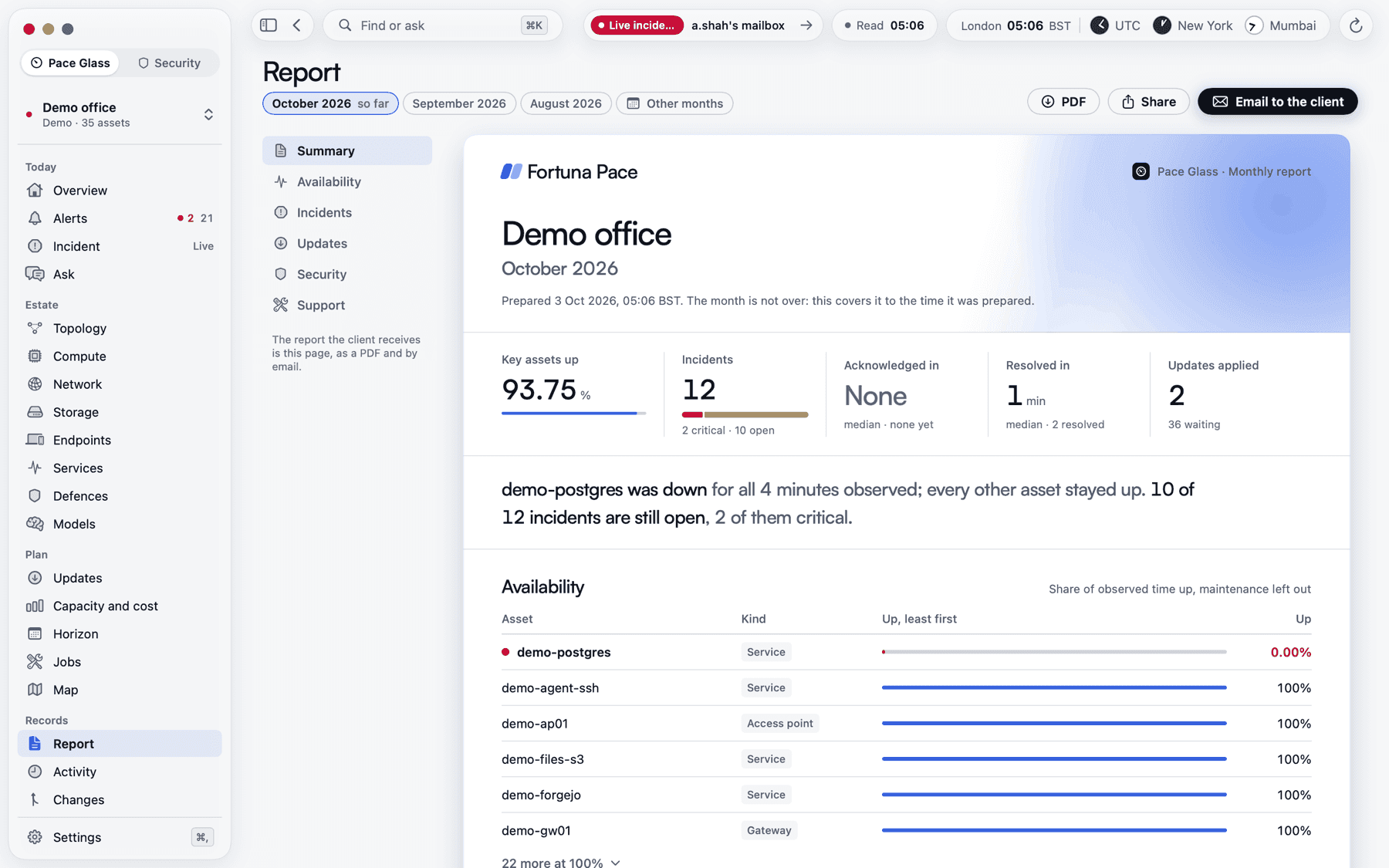
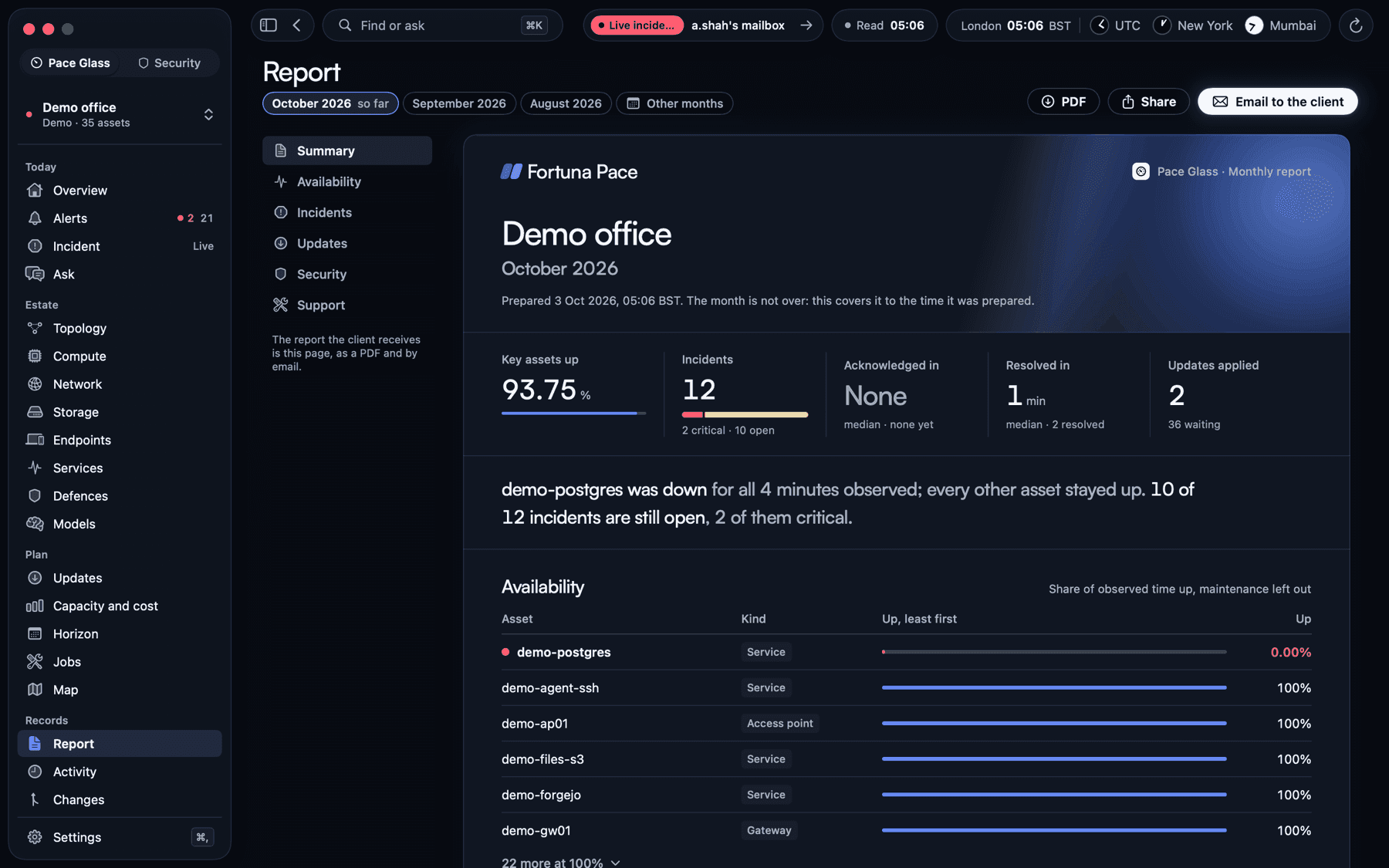
A month of service, on paper.
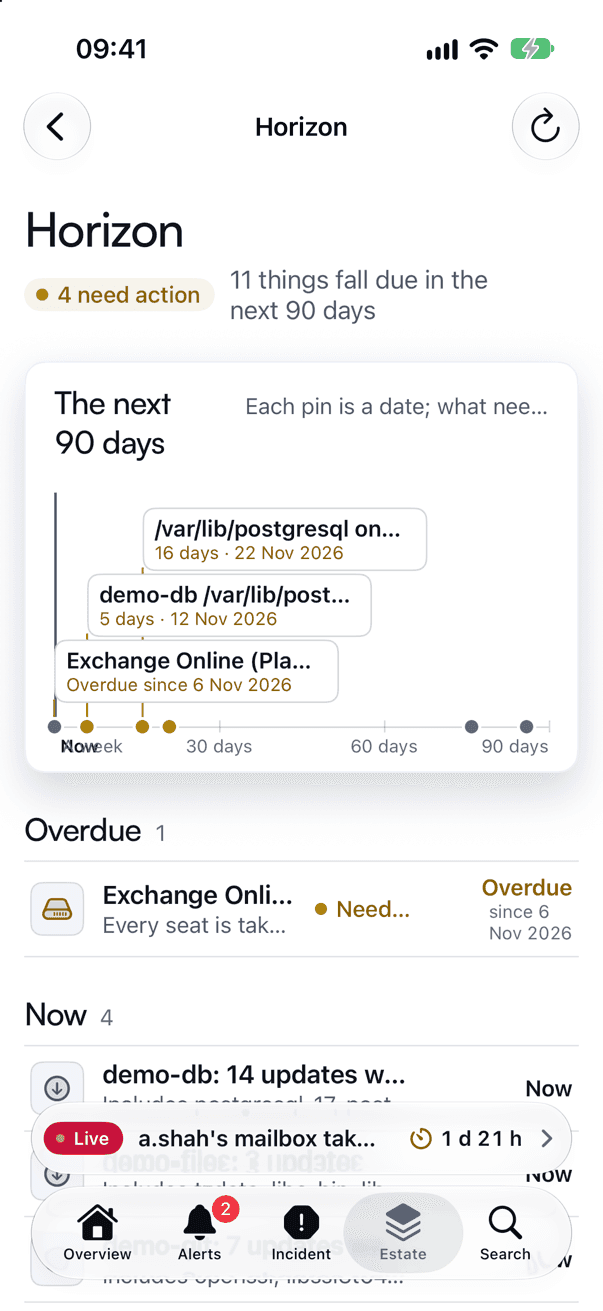
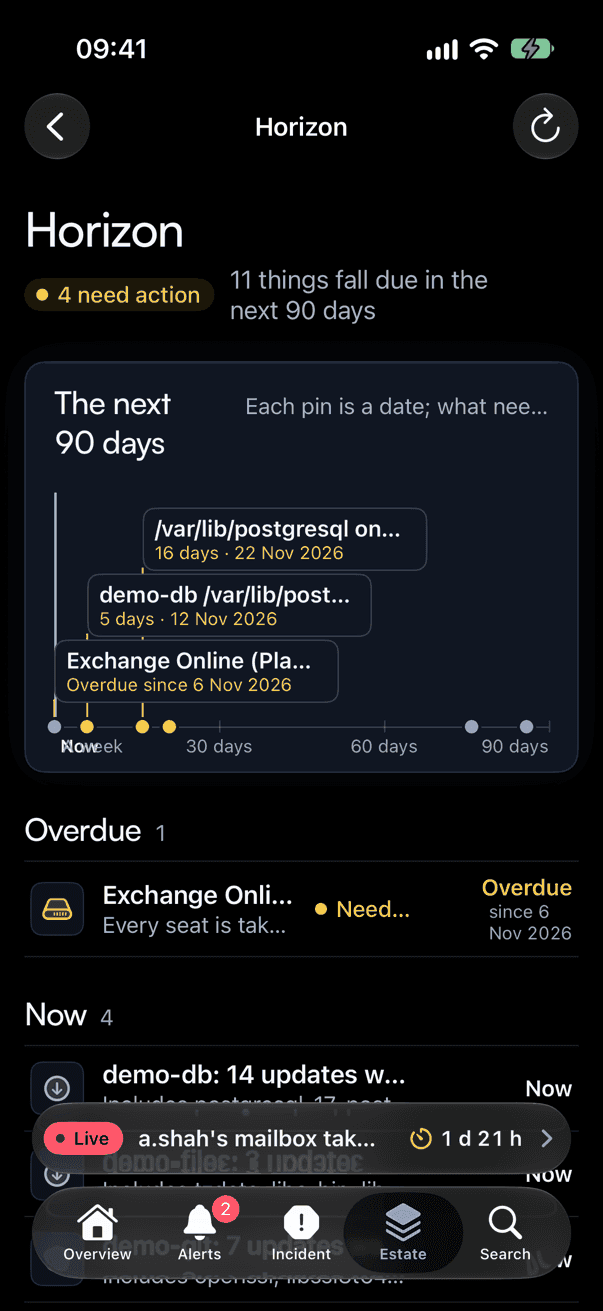
Pace Glass keeps every incident from raised to resolved, and records whether each key system was up at every look. Each month it emails the client their report as a PDF, each incident gets a write-up drafted for you, and the Horizon lists everything falling due in the next 90 days.
- Availability and incident times, estate by estate
- Incident write-ups to edit and send with Face ID, and a status page for the client, off until you turn it on
- When each pool, disk and licence count will run out, and what each client’s kit costs a month in power and licences
- Certificates, domains, credentials, warranties and filling storage on the Horizon
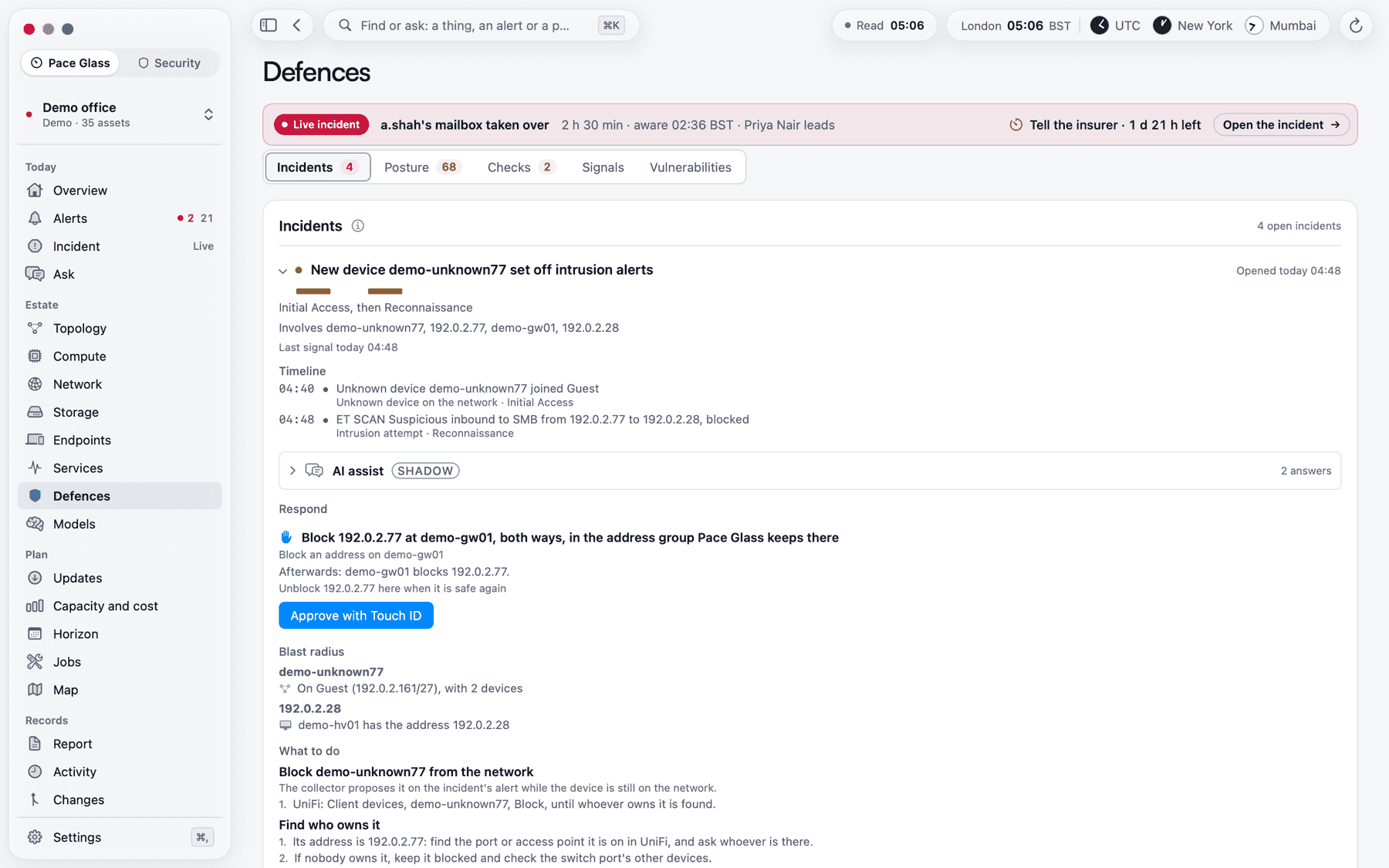
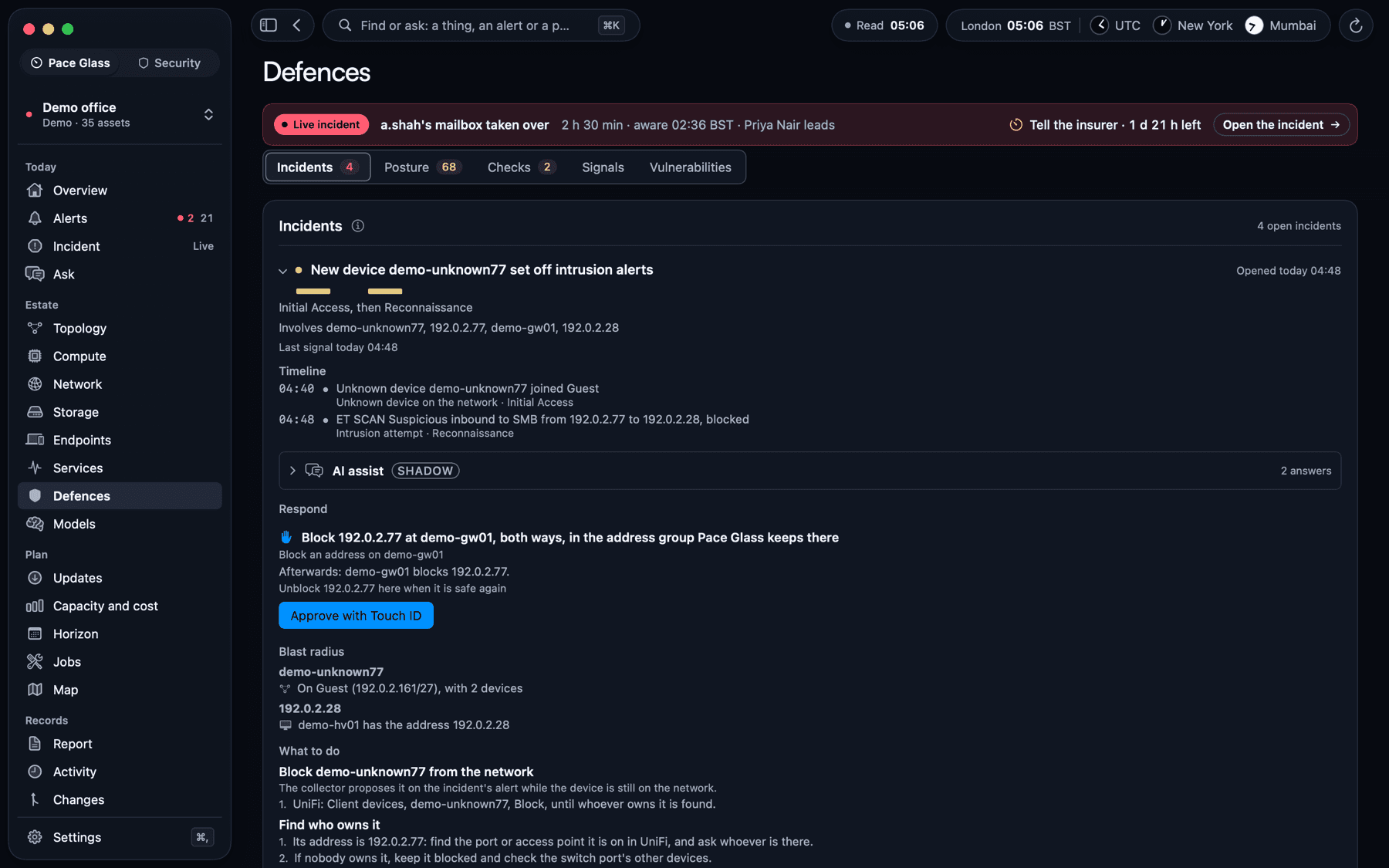
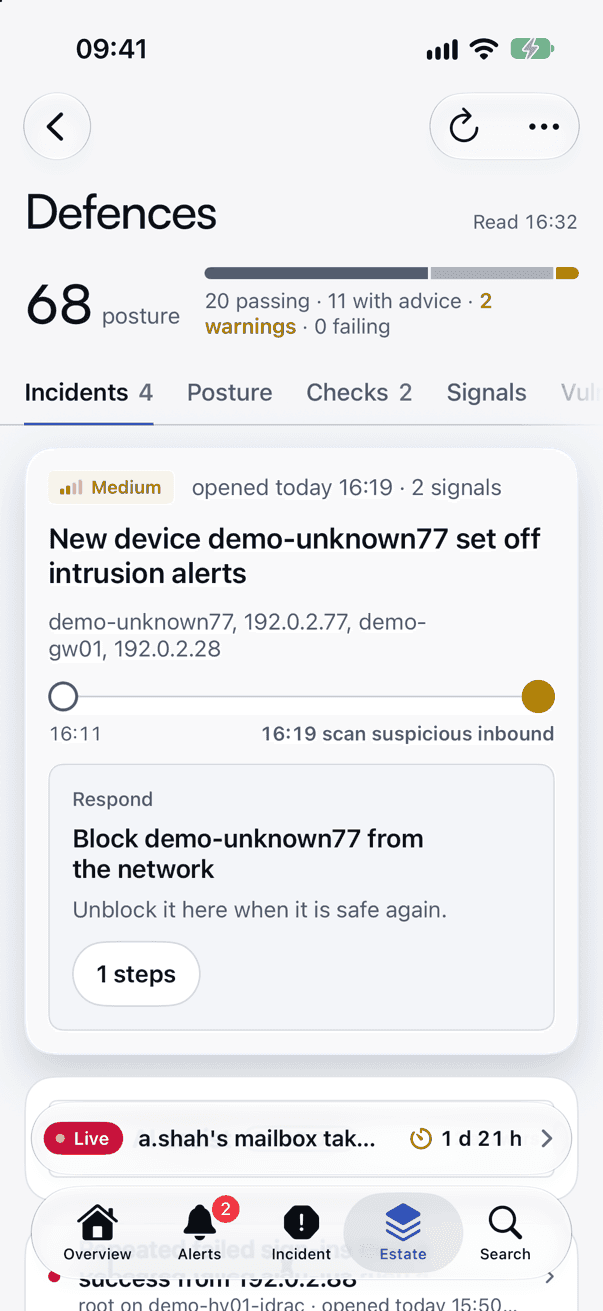
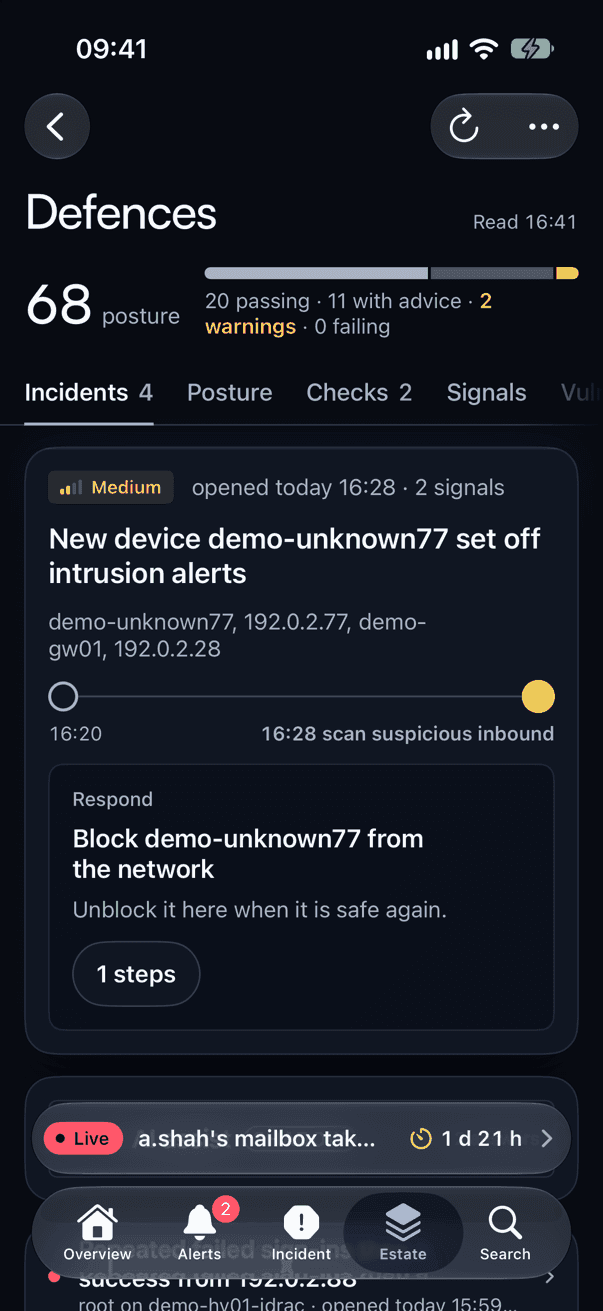
Defences in Pace Glass
Signals joined into stories, and a score to improve.
Pace Glass gathers security signals from the firewall, the servers’ management controllers, Microsoft 365 and the mail reports, and joins them into incidents along the stages of MITRE ATT&CK, such as an account takeover or a sign-in after a run of failures. Each estate has a posture score out of 100, with every deduction said in words.
- Checks against CISA’s catalogue of known exploited vulnerabilities, matched to what the estate runs
- Change tracking: a change nobody expected is an alert until someone marks it expected
- Security incidents go to whoever is on call, like any other alert
- Mail and DNS protection, certificates, Microsoft 365 Secure Score, GitHub and tailnet checks on the same page
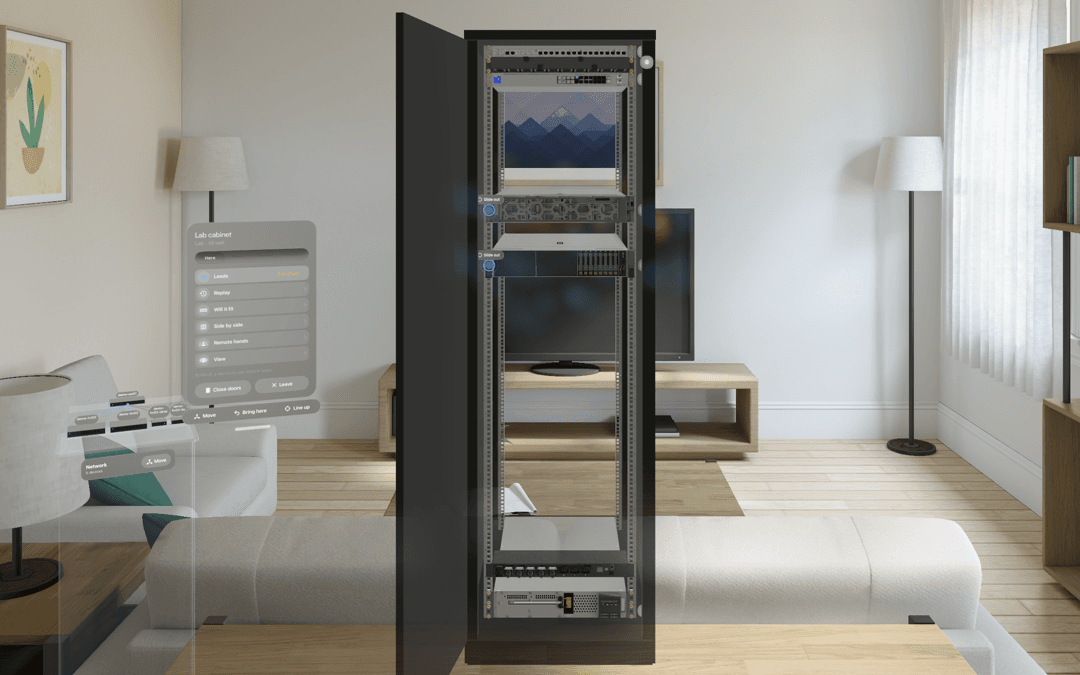
Walk your cabinet in Apple Vision Pro
The comms cabinet, life size and live.
The digital twin draws the cabinet and every device in it at CAD quality, lit by the estate’s own readings: lamps as they are and air moving through the servers. Pinch a lead to trace it to its other end, follow a guided fix to the failed part, or ask whether new kit will fit.
- Lined up over the real cabinet, with remote hands over SharePlay
- A replay of the last 24 hours
- Several estates side by side, and everything you place in the room stays where you put it
- A SecOps room beside it: the estate’s graph, threat traffic, the incident wall and the timeline
More screens
Pace Glass, page by page.
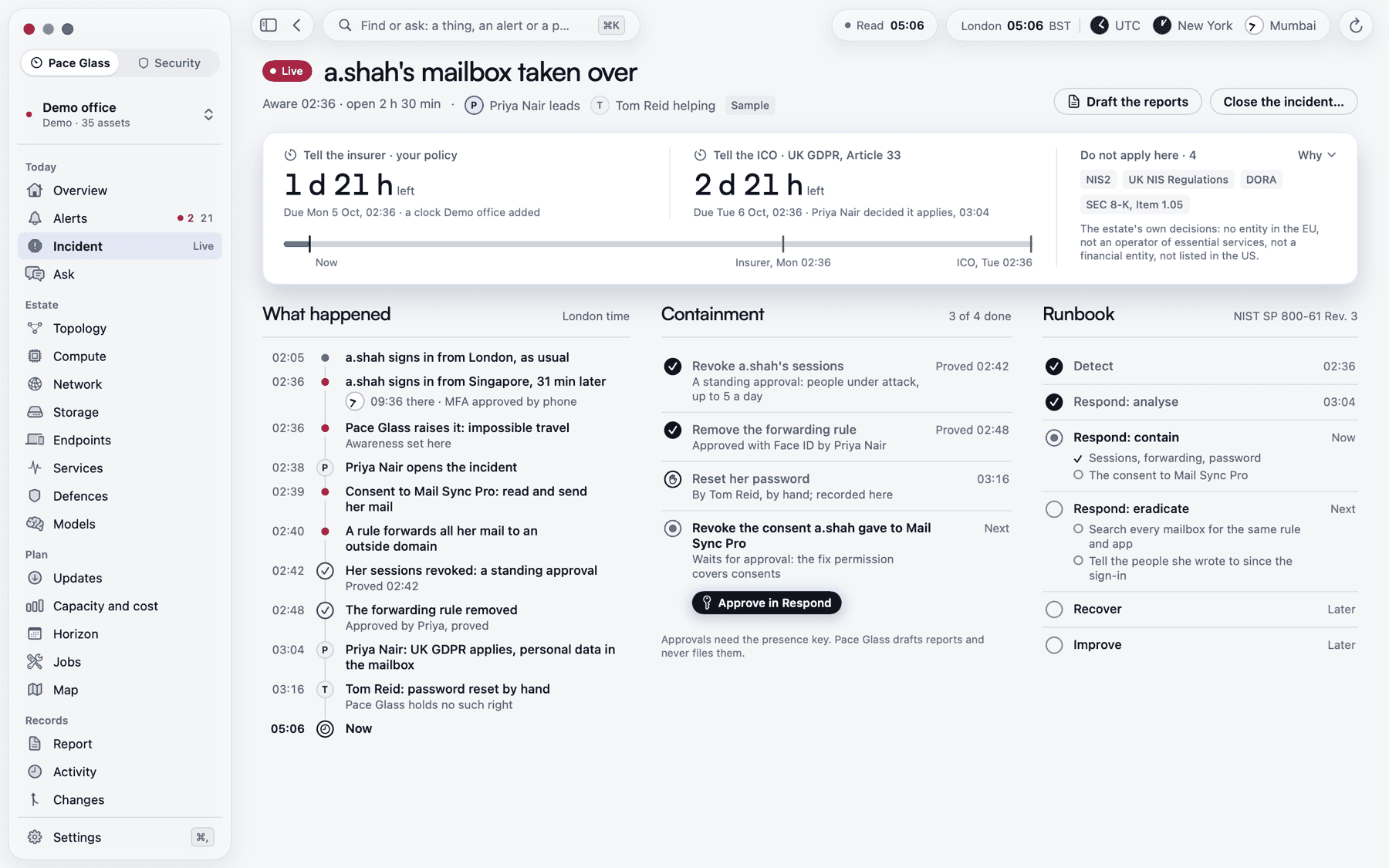
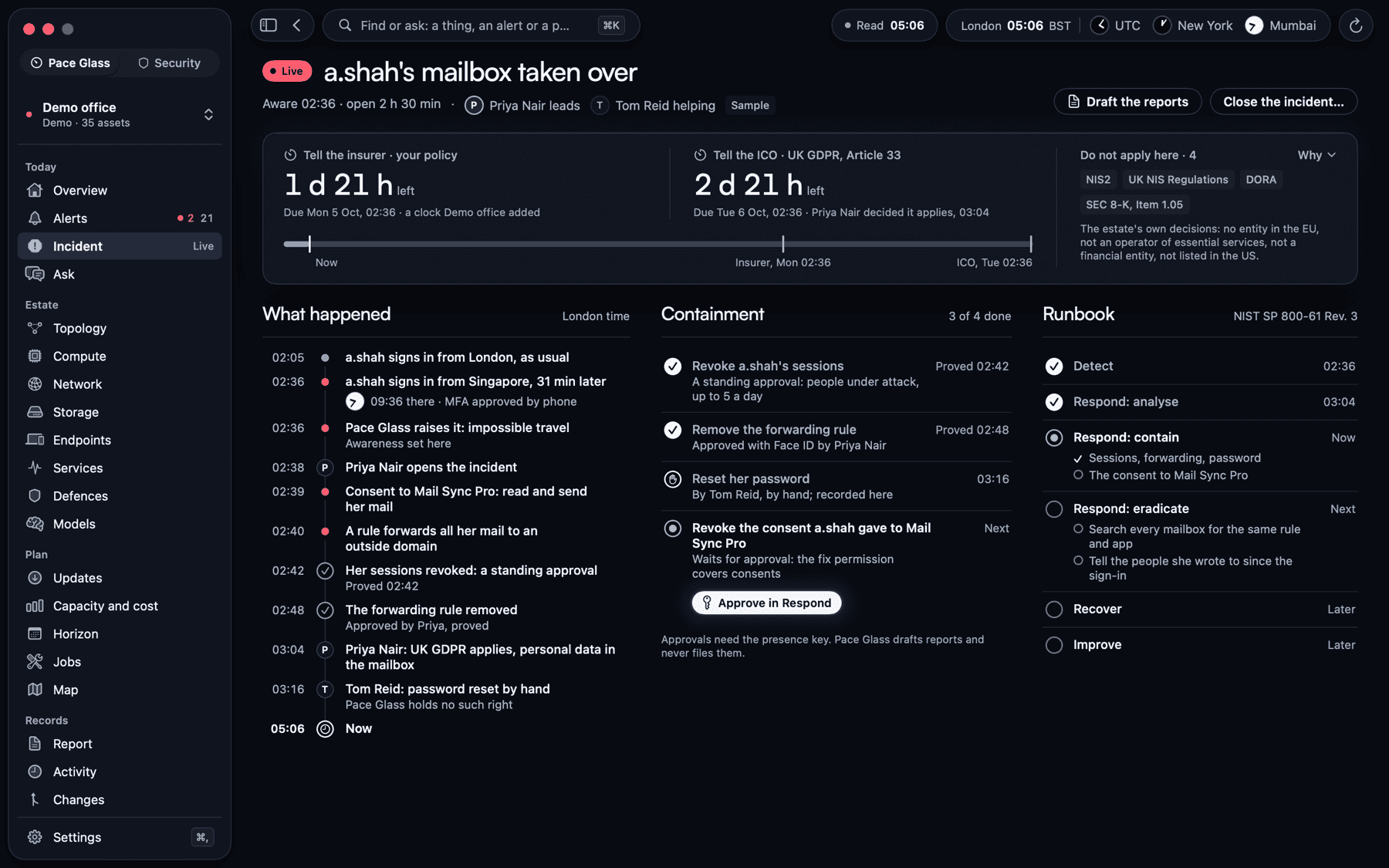
Incident: the clocks, what happened and what has been contained.
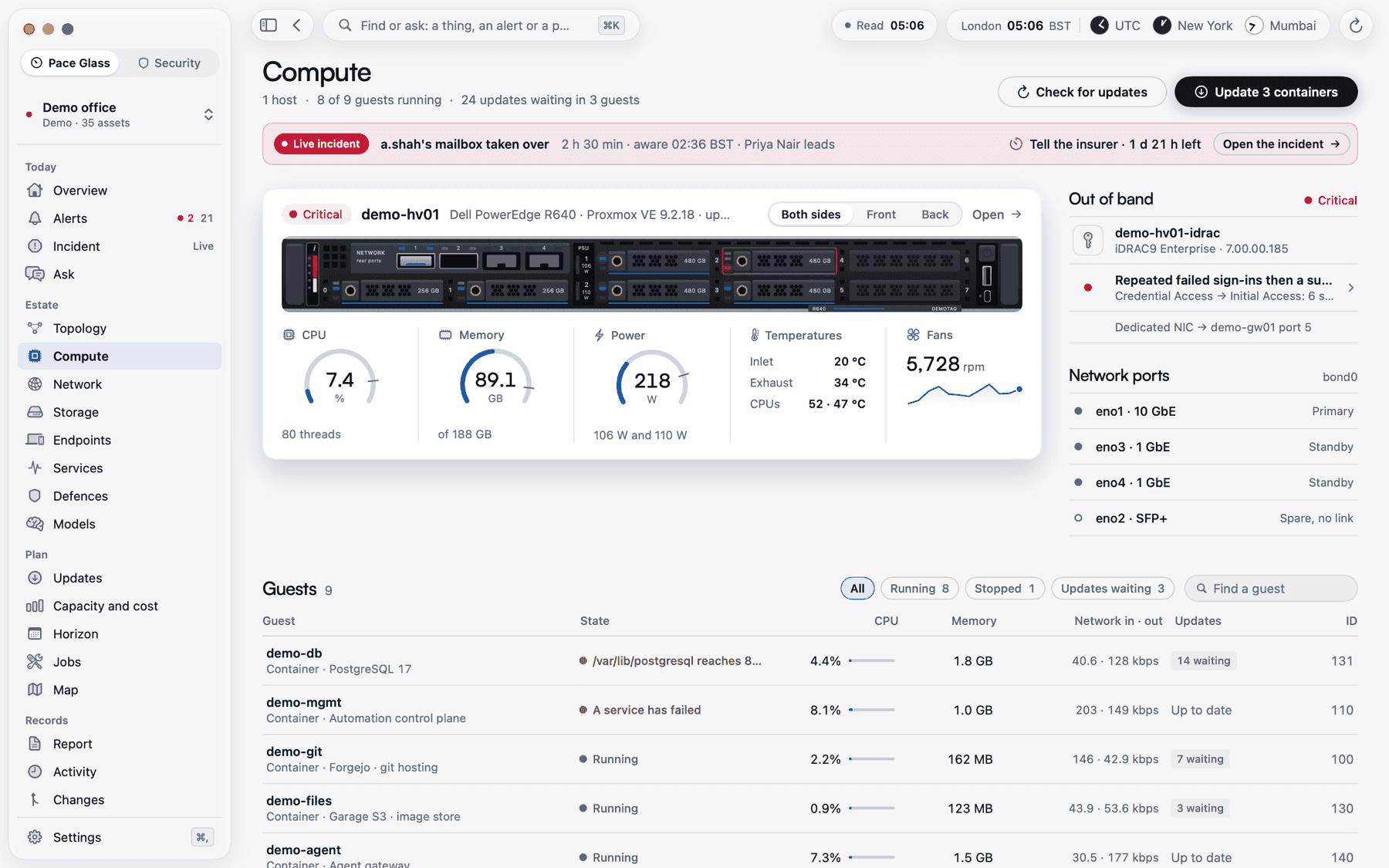
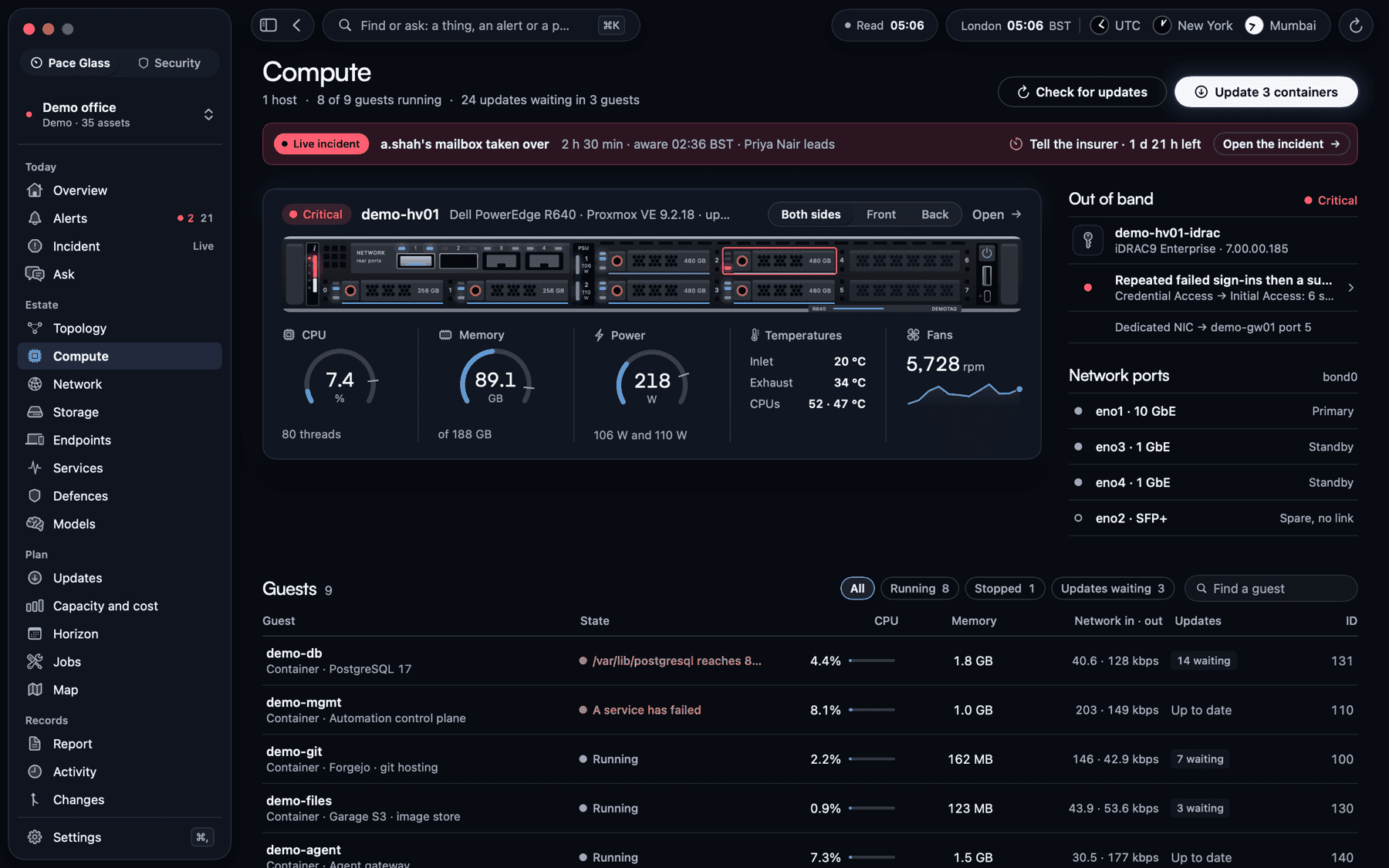
Compute: the host, its guests and its hardware on one page.
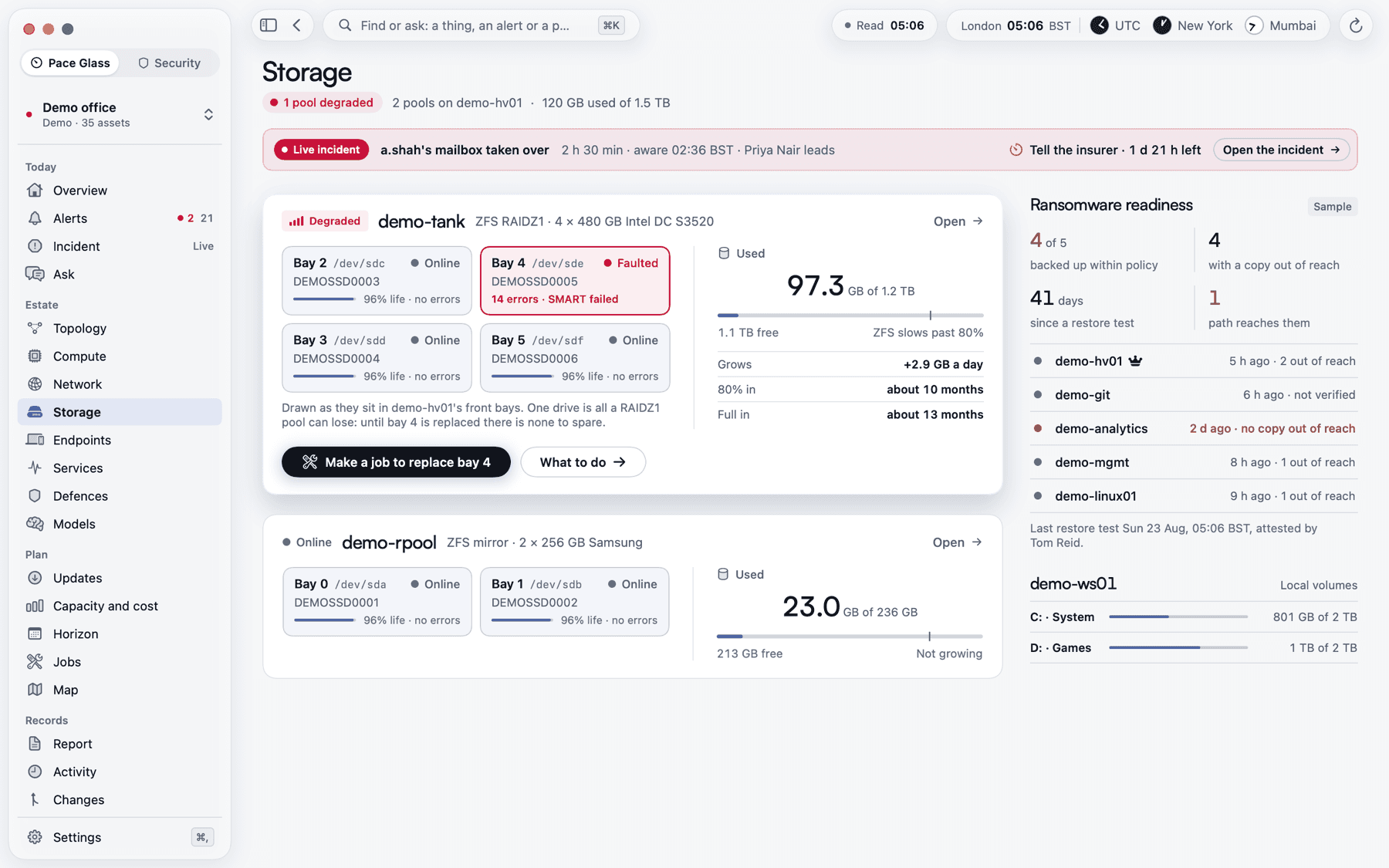
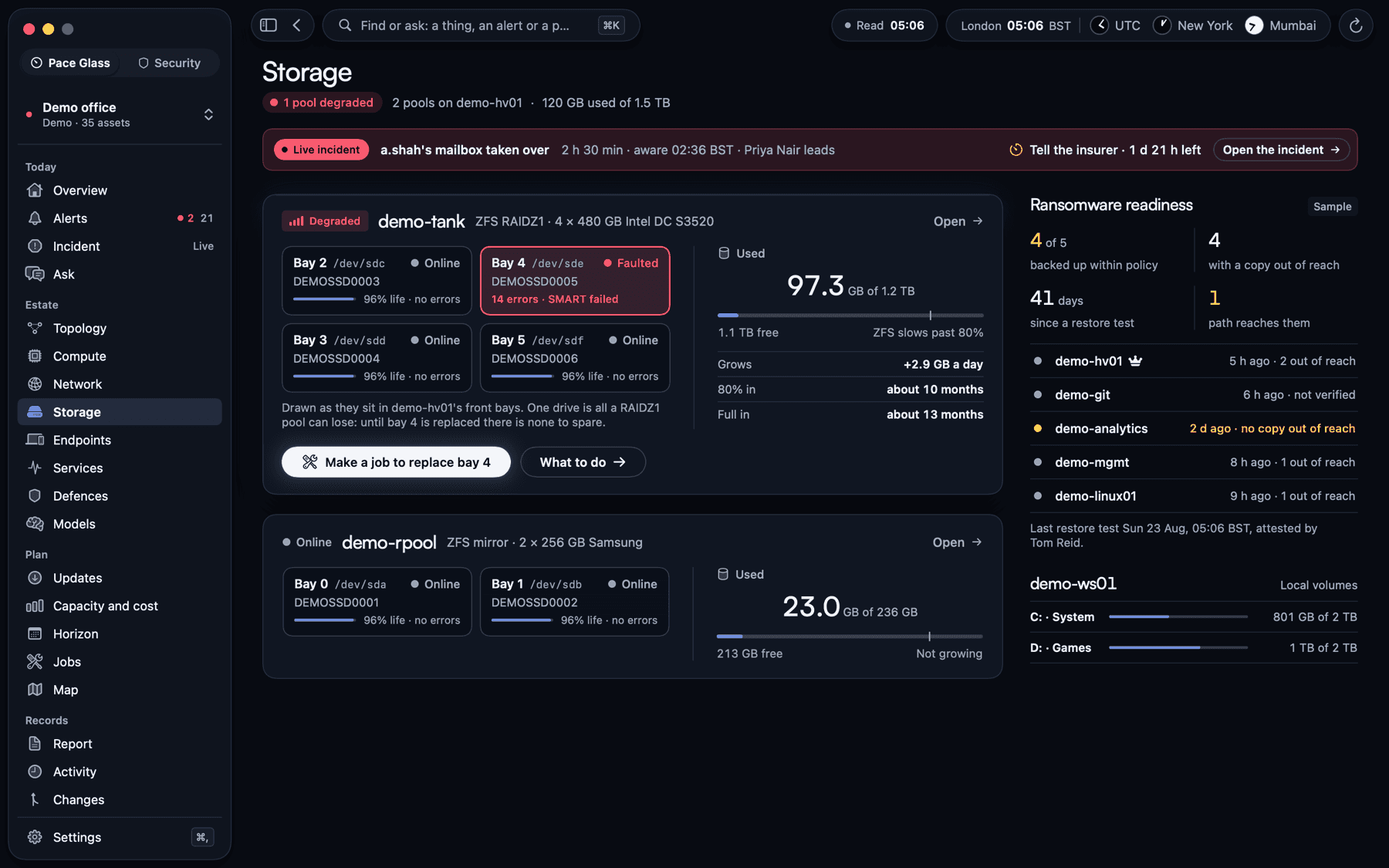
Storage: pools, drives and backups, and when it will be full.
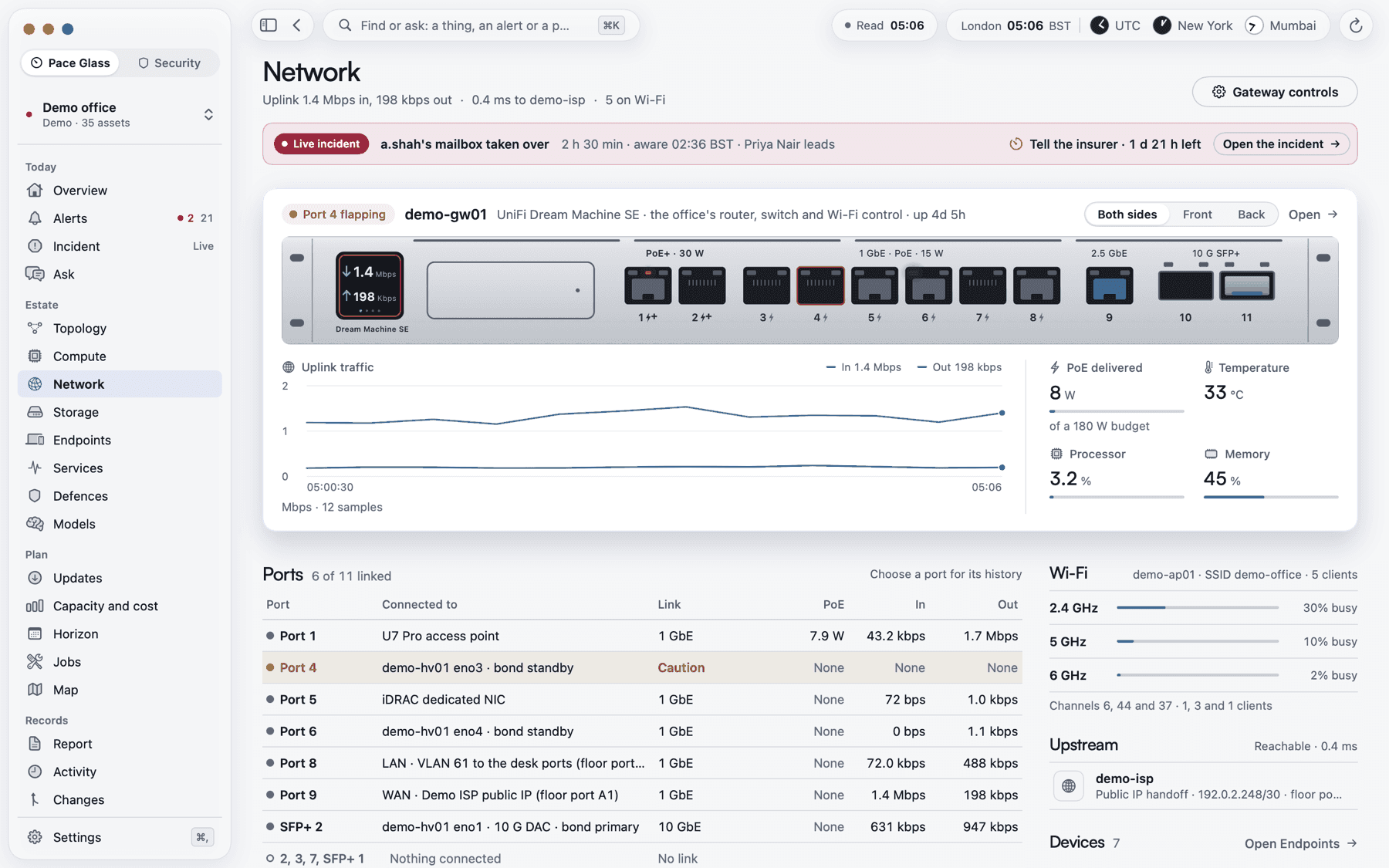
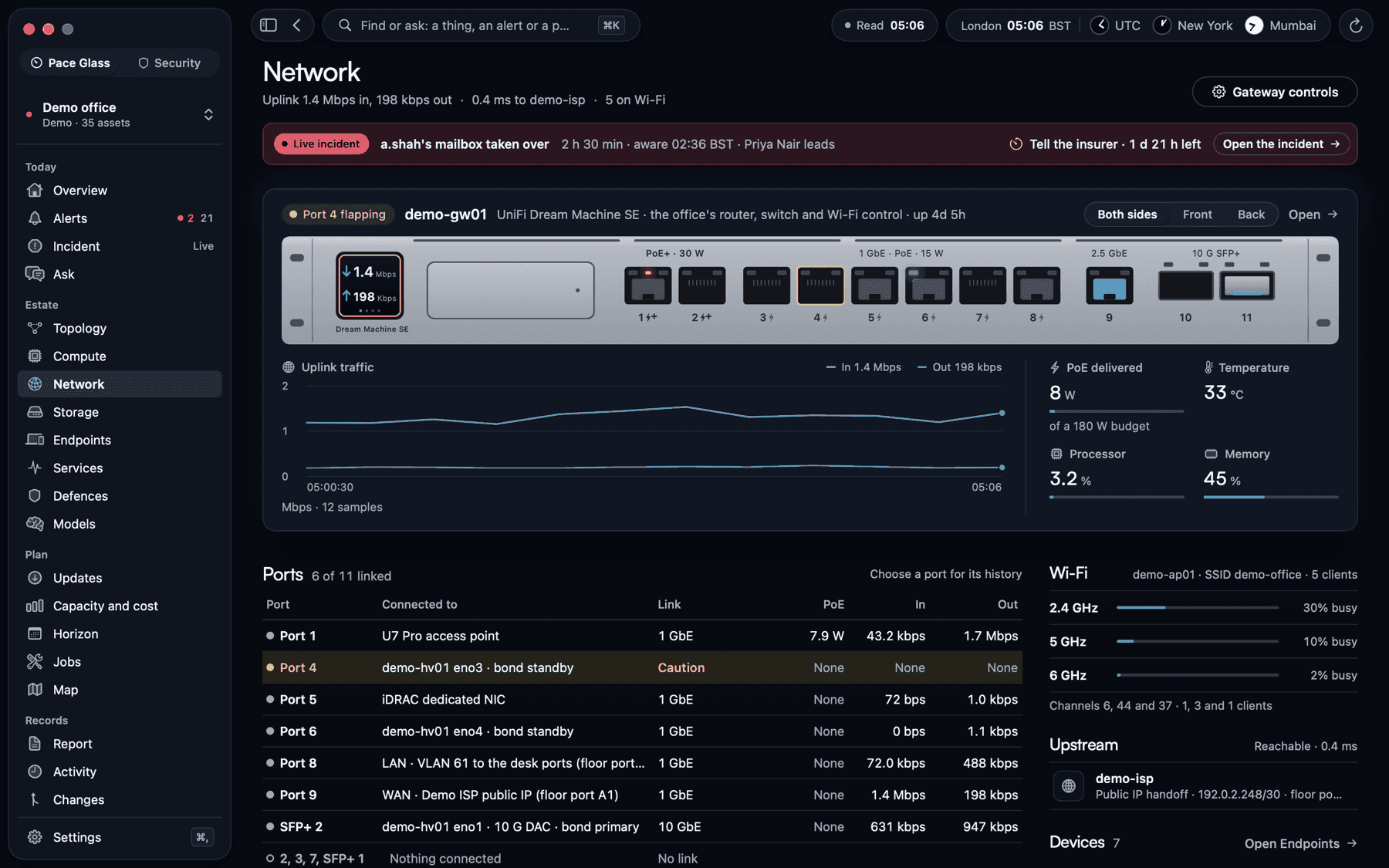
Network: every port, the Wi-Fi and the way out.
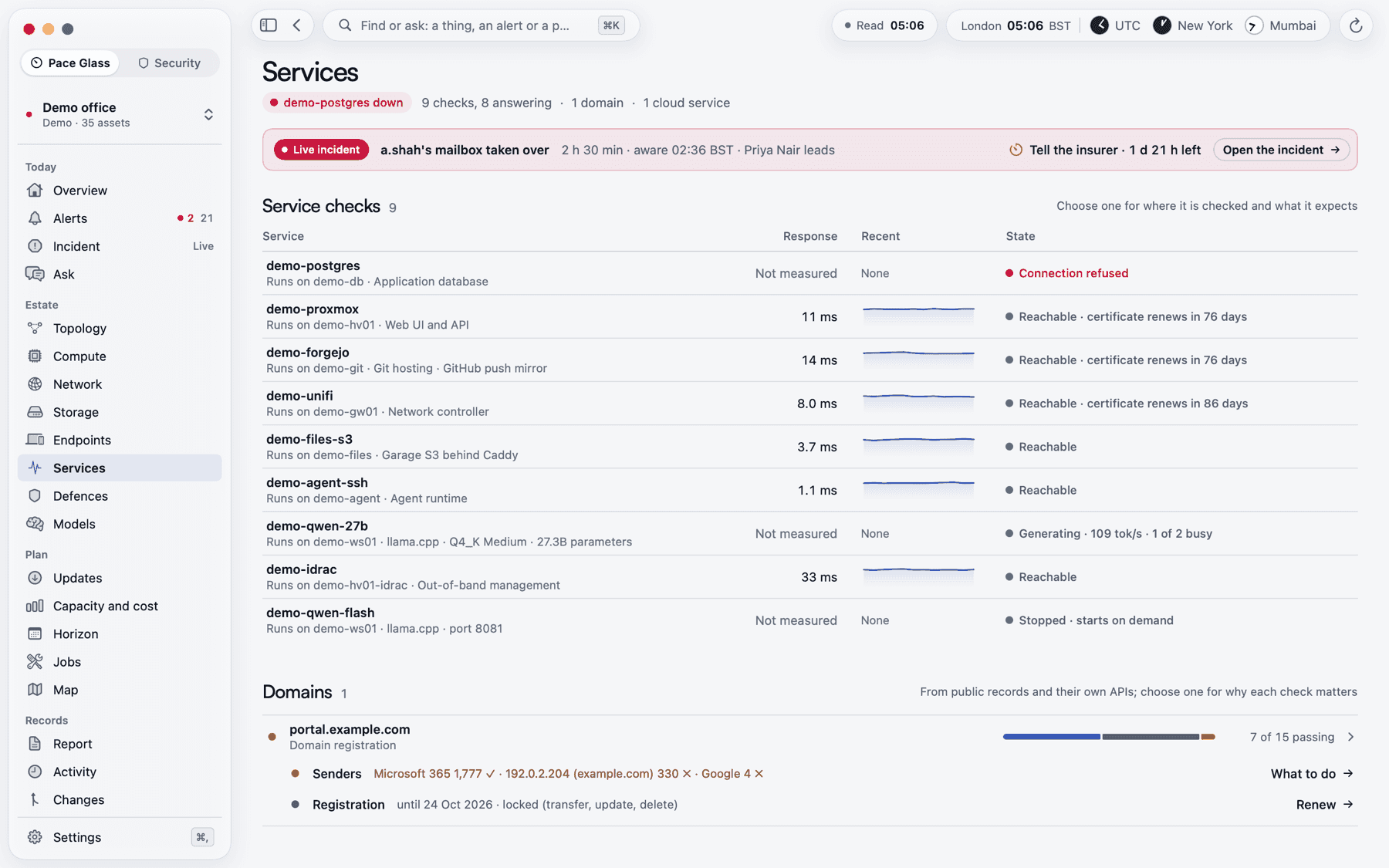
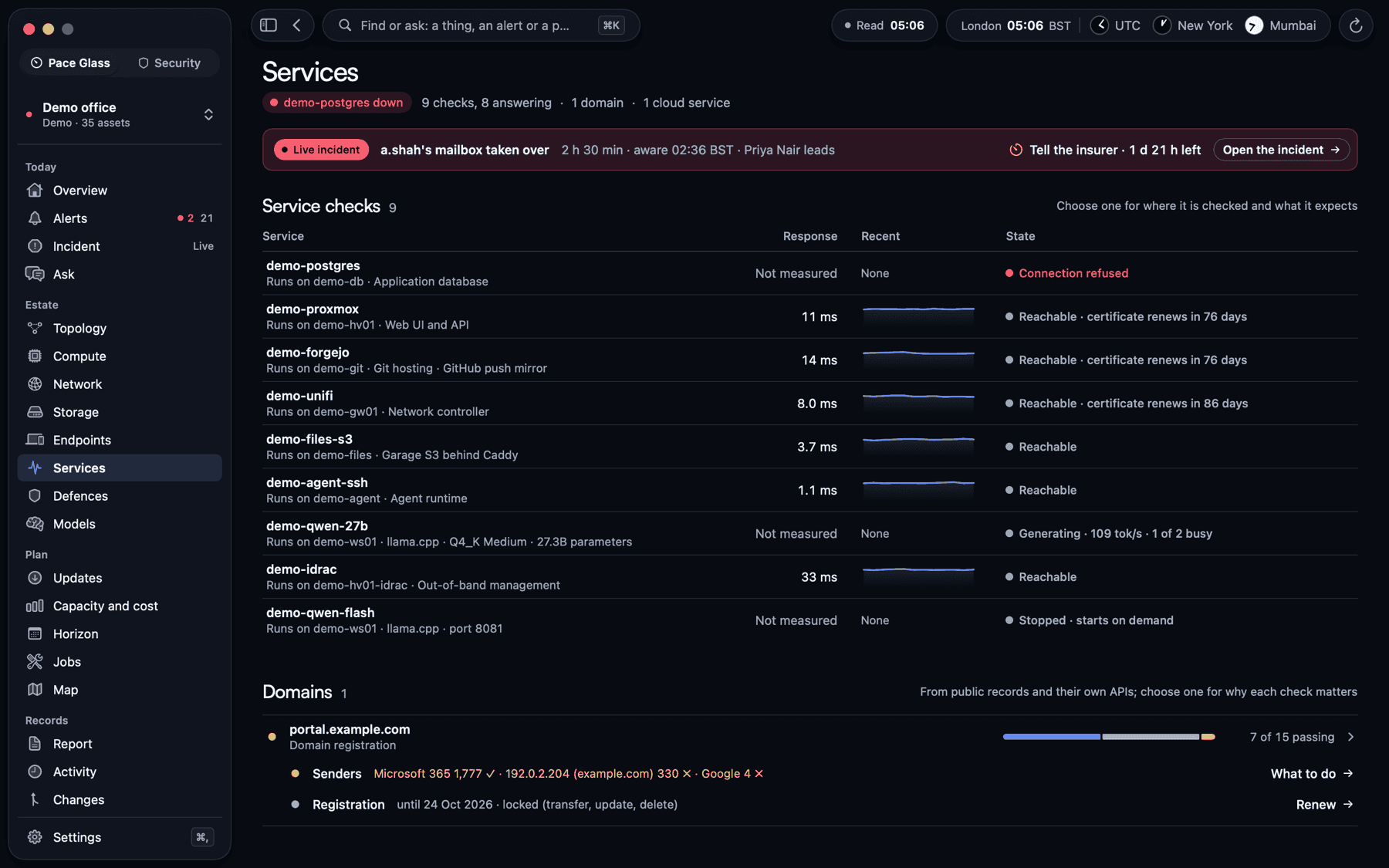
Services: what people use, checked the way they use it.
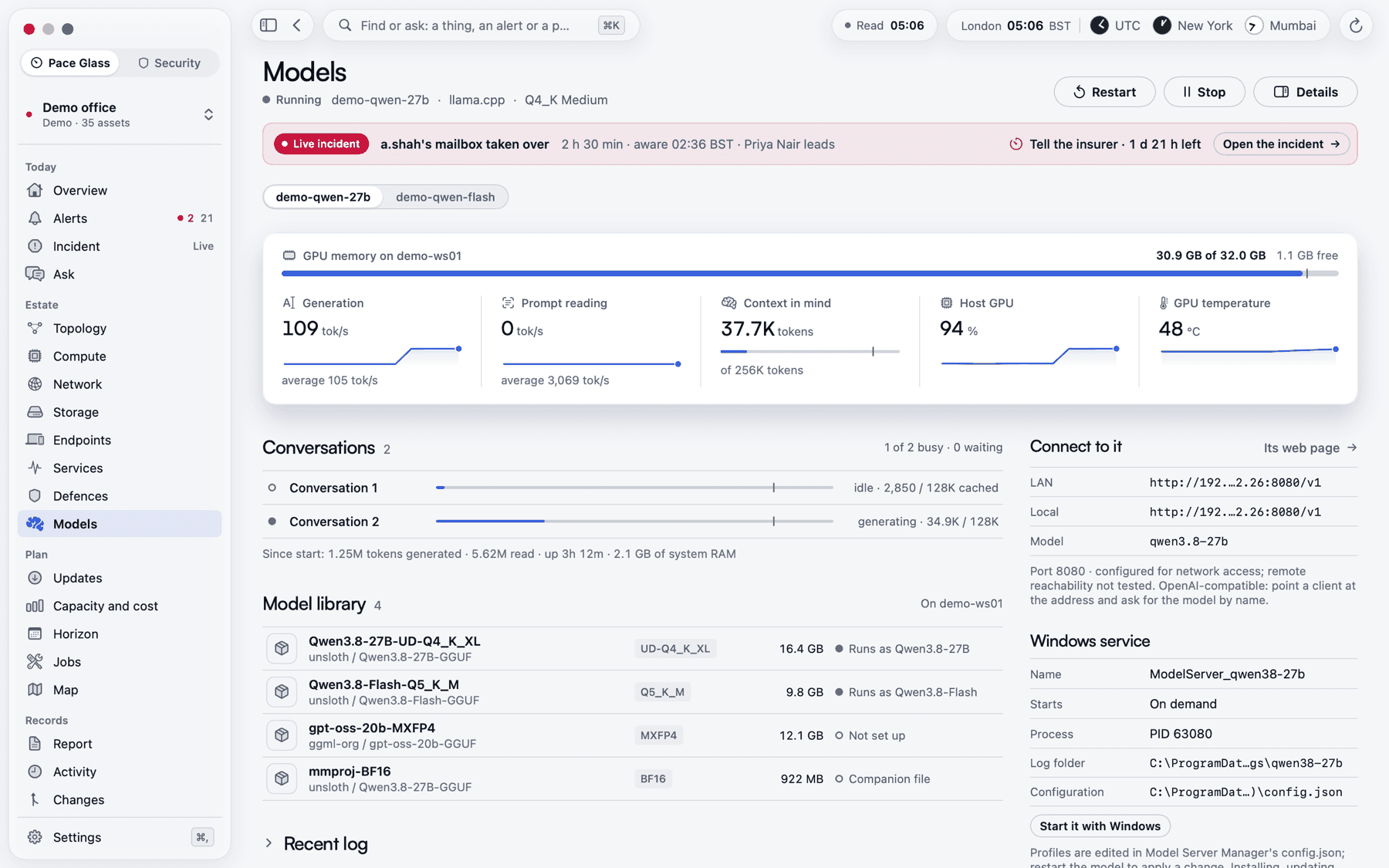
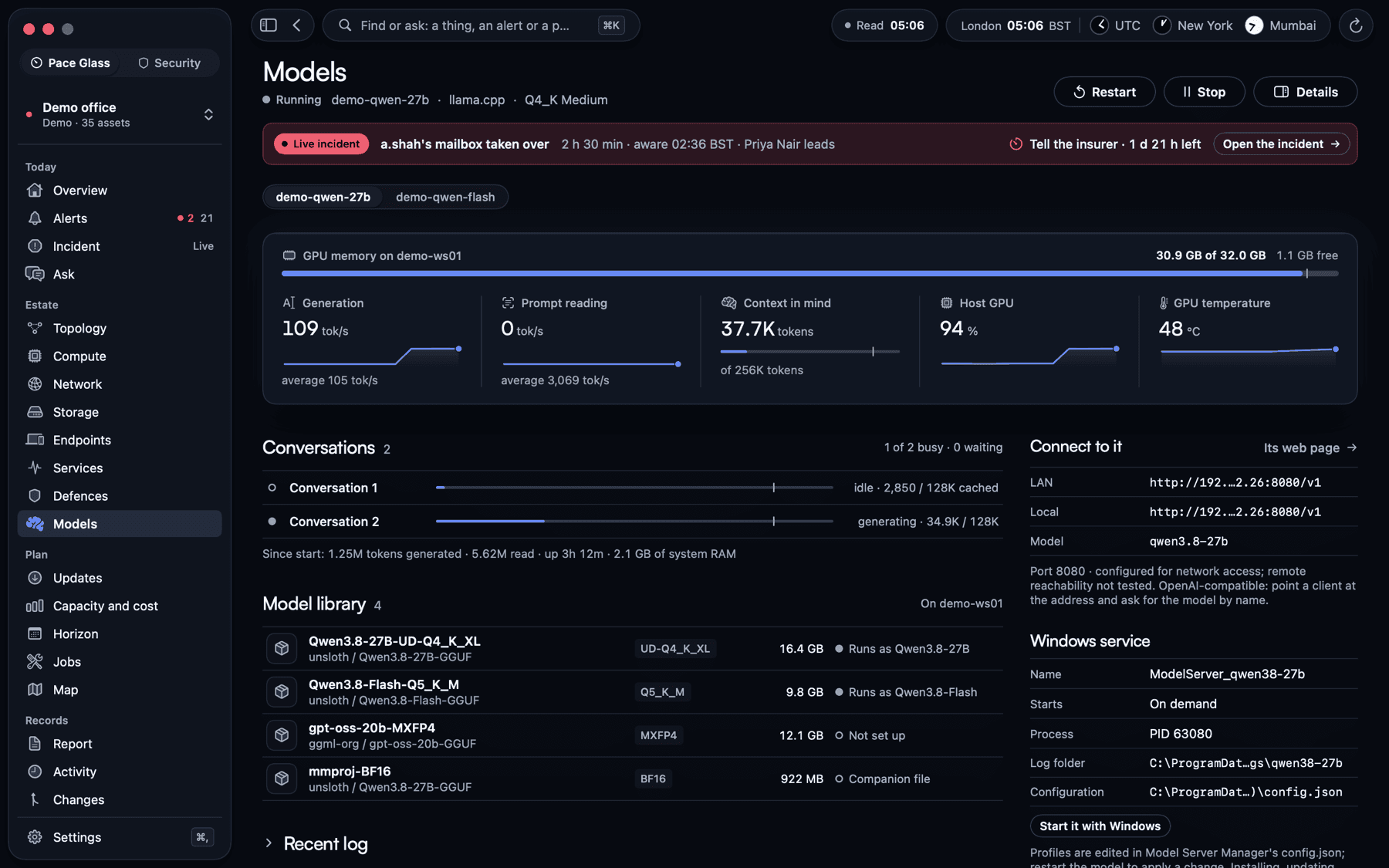
Models: local AI model servers, their load and how they are run.
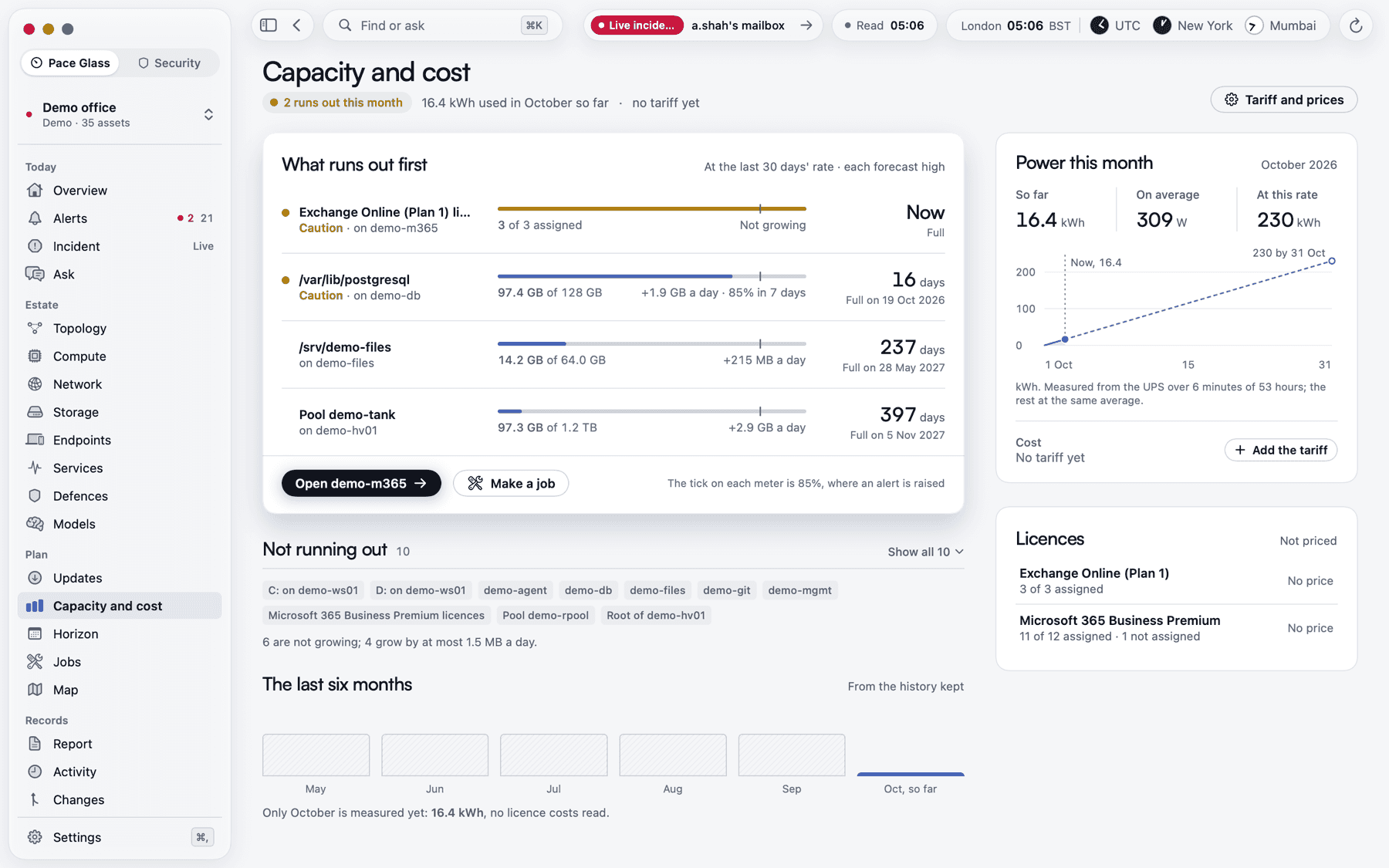
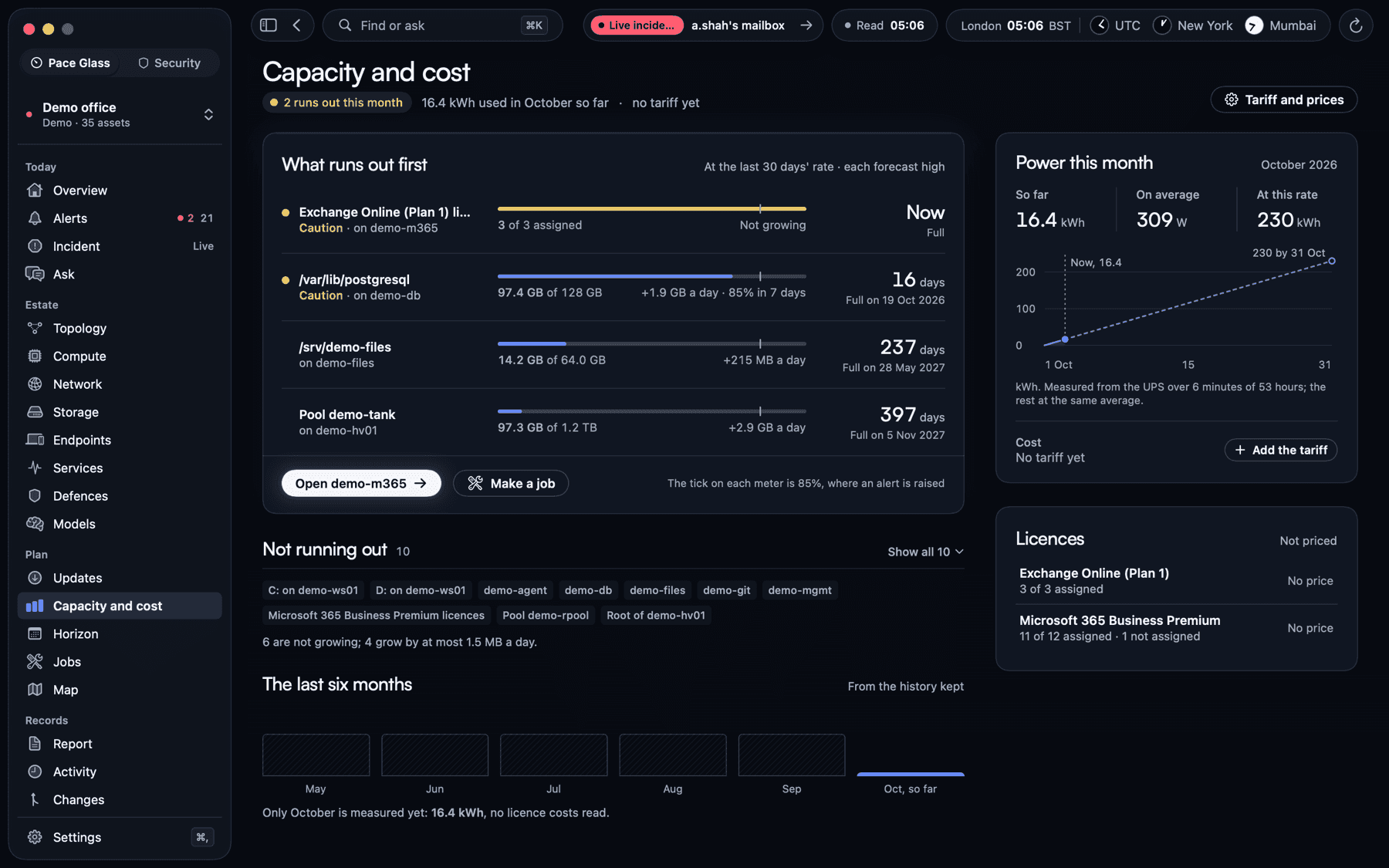
Capacity and cost: what runs out first, and what it costs to run.
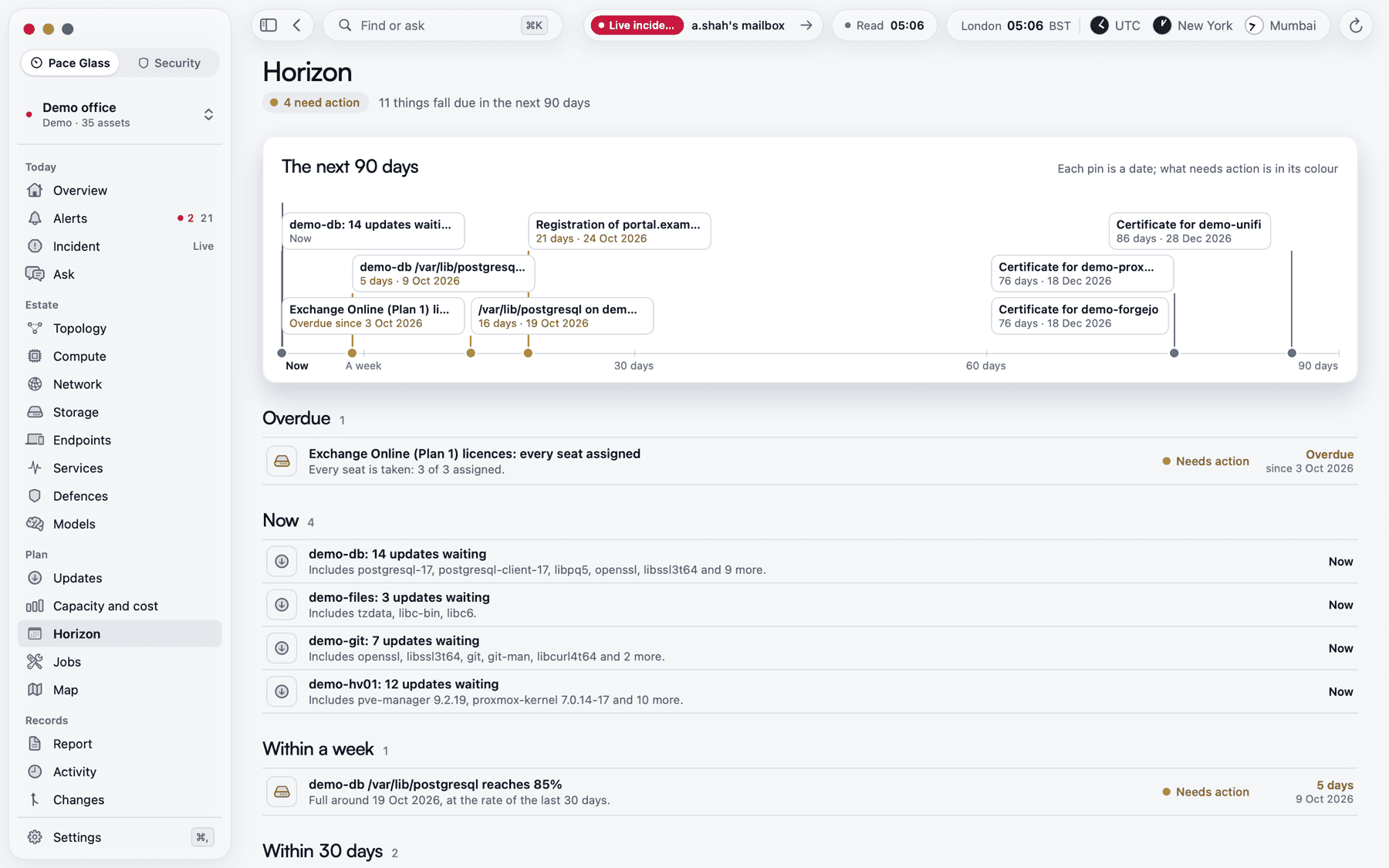
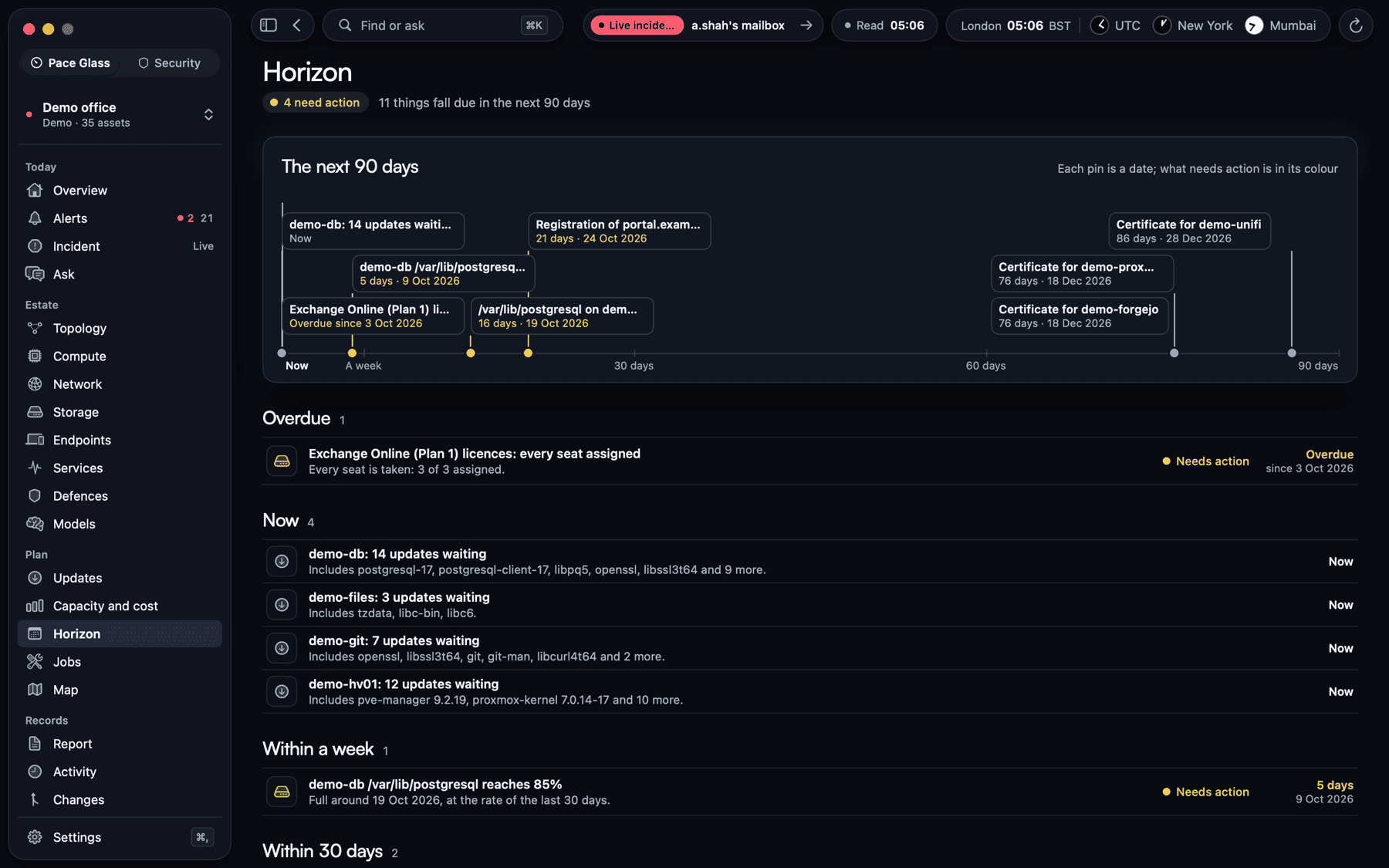
Horizon: the next 90 days across every estate, soonest first.
What it watches
The systems a business runs on.
Pace Glass reads each system with the narrowest access it allows, and most of what it reads is read only. Controls are separate, and guarded.
- Hypervisors and backups
- Proxmox VE hosts and clusters, their guests, ZFS pools and drives, backup jobs, and Proxmox Backup Server.
- Servers’ hardware
- Dell iDRAC and HPE iLO over Redfish: power, supplies, fans, temperatures, memory, drives and the event log.
- Network and Wi-Fi
- UniFi consoles, switches and access points: every port and its PoE, Wi-Fi, clients, WAN failover and threats blocked.
- Microsoft 365
- Service health and Message Center, licences and renewals, Secure Score, multi-factor sign-in, administrator roles, app credentials and, where the tenant is licensed for them, sign-ins, risk detections and Defender alerts.
- Domains, mail security and certificates
- Registrations, SPF, DKIM, DMARC and MTA-STS, the mail reports, HTTPS certificates and the public certificate logs.
- Remote access
- Tailscale: which devices are reachable, their keys, devices waiting for approval, routes and the access policy.
- Code
- GitHub organisations: two-factor sign-in, branch protection, Dependabot and secret scanning, and who has access.
- Power
- Uninterruptible power supplies through Network UPS Tools.
- Printers
- Printers over IPP: state, queue and toner.
- Local AI model servers
- llama.cpp and MLX model servers: state, speed, conversations and the GPU they run on.
- Workstations
- The Windows PC or Mac running Pace Glass: load, disks and GPU and, on Windows, its protection.
- Websites and services
- Anything with an address: HTTP, TCP and DNS checks with response times and certificate expiry.
Built to be trusted
Made to be trusted with the keys.
The collector keeps the history locally
The collector runs inside your own network and keeps the history there. Apple push carries short alert summaries. Reports, tickets and optional integrations share information with the destinations you configure.
Every device has its own keys
Each device enrols with keys of its own and signs every request it makes, so the collector knows exactly who is asking.
Face ID for anything sensitive
Destructive actions, protected machines and opening the controls ask for Face ID, Touch ID or Windows Hello.
Every action is audited
Every command, approved fix and acknowledgement is recorded with the device that made it.
Backups leave the host
Each night the collector seals an encrypted backup that it cannot open itself, and an admin’s Mac copies it off the host every day.
A new client set up from the app
One command installs the collector on the client’s own host. Then the app does the rest: the first admin joins, the collector looks round its networks, each connection’s credentials are given once and kept on the client’s collector, and the proposed profile is reviewed and saved.
Platforms and availability
Where each part stands.
The platforms serve different jobs. Ask us about access for the devices and estates you look after.
- Mac
- ReleasedVersion 0.18.4. Pace Glass and Pace Glass Security, released together, each signed, notarised and updated from inside the app.
- iPhone, iPad, Apple Watch and Apple Vision Pro
- Private TestFlightThe phone and Watch can page the person on call. The iPad has the full Security investigation views. Vision Pro adds the cabinet and SecOps room.
- Apple TV
- Private TestFlightAn enrolled, read-only office display for estate health, the rota and active incidents.
- Windows
- Private testingThe cockpit connects to the estate’s collector, reports its own PC and checks signed updates when installed.
- Web and collector
- Estate-hostedOne Swift collector runs on the estate’s Linux host. An approved passkey opens the read-only console. Separate management pages let authorised admins configure the collector.
- Pace Glass Security
- Separately licensedA workspace inside Pace Glass, and on the Mac an app of its own beside it. Enabled per collector. Access to particular views and actions depends on the client, the operator’s role and the permissions your estate grants.
Questions
Asked before you ask.
Do I need Apple Vision Pro?
You can investigate paths on a Mac or iPad. Vision Pro adds an immersive SecOps room and digital twin. The phone, Watch, Windows cockpit, web console and office display each show a different part of the estate.
Where does our data live?
The collector holds the estate history on your network. Your devices reach it locally or over your tailnet. You choose recipients for reports and which external integrations to enable.
Does it replace our RMM?
No. Pace Glass watches and safely controls infrastructure: hosts, servers, the network, Microsoft 365, domains and the rest. It puts no agent on staff PCs and does not patch them, so it sits beside an RMM rather than replacing one.
Which systems does it support?
Proxmox VE and Proxmox Backup Server, Dell iDRAC and HPE iLO, UniFi, Microsoft 365, Tailscale, GitHub, Network UPS Tools, printers over IPP, llama.cpp and MLX model servers, and any website or service with an address. If yours is not on the list, tell us what you run.
Can we try it?
The preview on this page runs in your browser with a fictional estate. To try the apps, register interest and tell us about the estate you look after.
Register interest in Pace Glass.
Tell us about the estate you look after: the servers, the network, the Microsoft 365 tenant and who is on call. We reply within one working day.